
AdCraftr
AI-powered ad creation tool for small business owners, exploring prompt-driven workflows across multiple generative platforms
Creative director | Widget | AI-powered
What makes this project unique?
- Testing different AI tools: Claude v Bolt.new v Figma Make
- Solo passion project to practice vibe-coding
- Time-boxed to 4 hrs to pressure test efficiency
- AI B2B tool focused on design
Key challenges
- Allow user creative control without unnecessary complexity
- Time-boxing
- Trial and error of prompting:
- AI hallucinations
- Small phrasing incoherencies break intent
Problem
Small business owners rarely have time, budget, or creative direction to spare.
Hiring an agency feels premature.
Starting from scratch feels overwhelming.
People need something real to react to, iterate, and put out there.
Solution
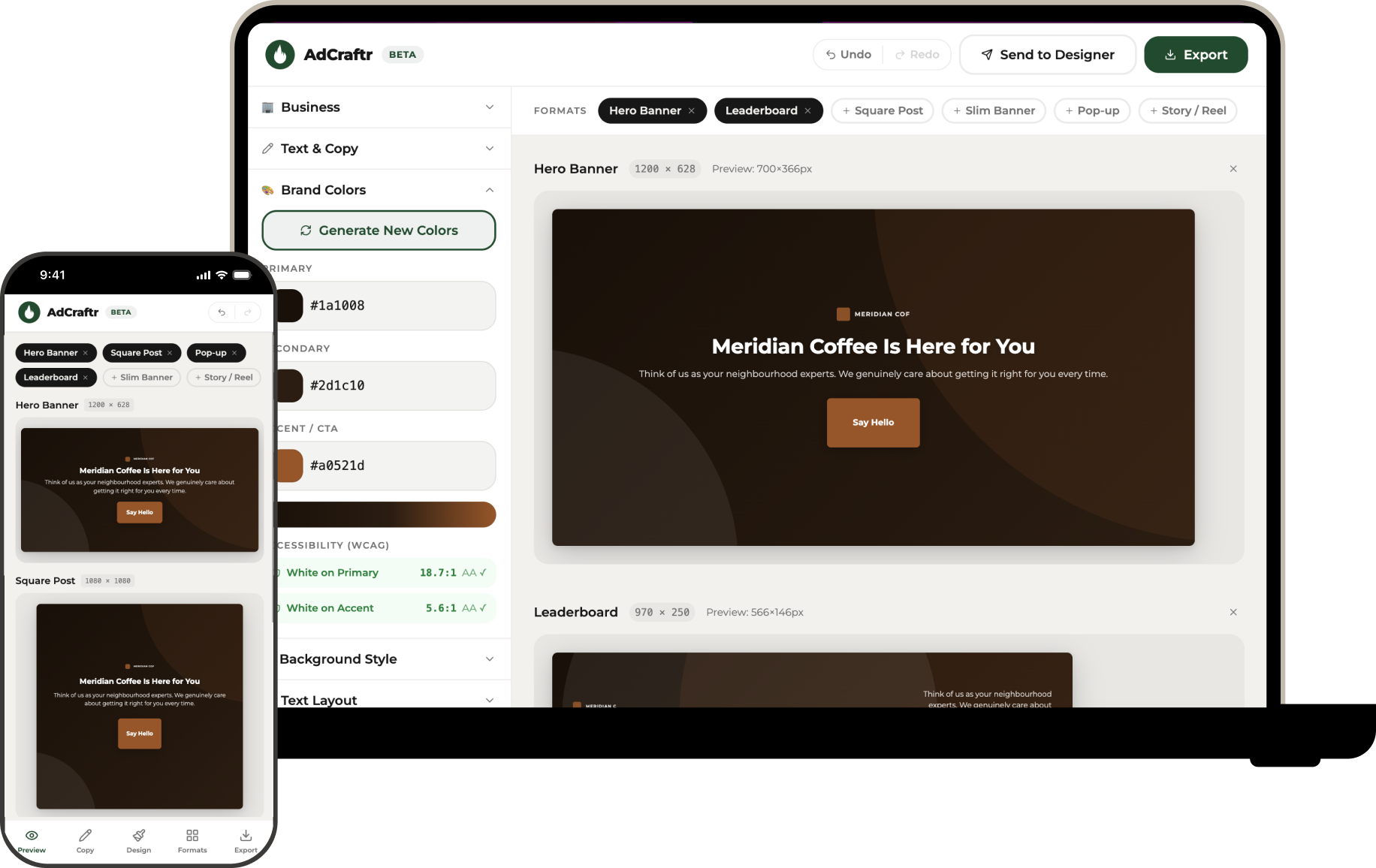
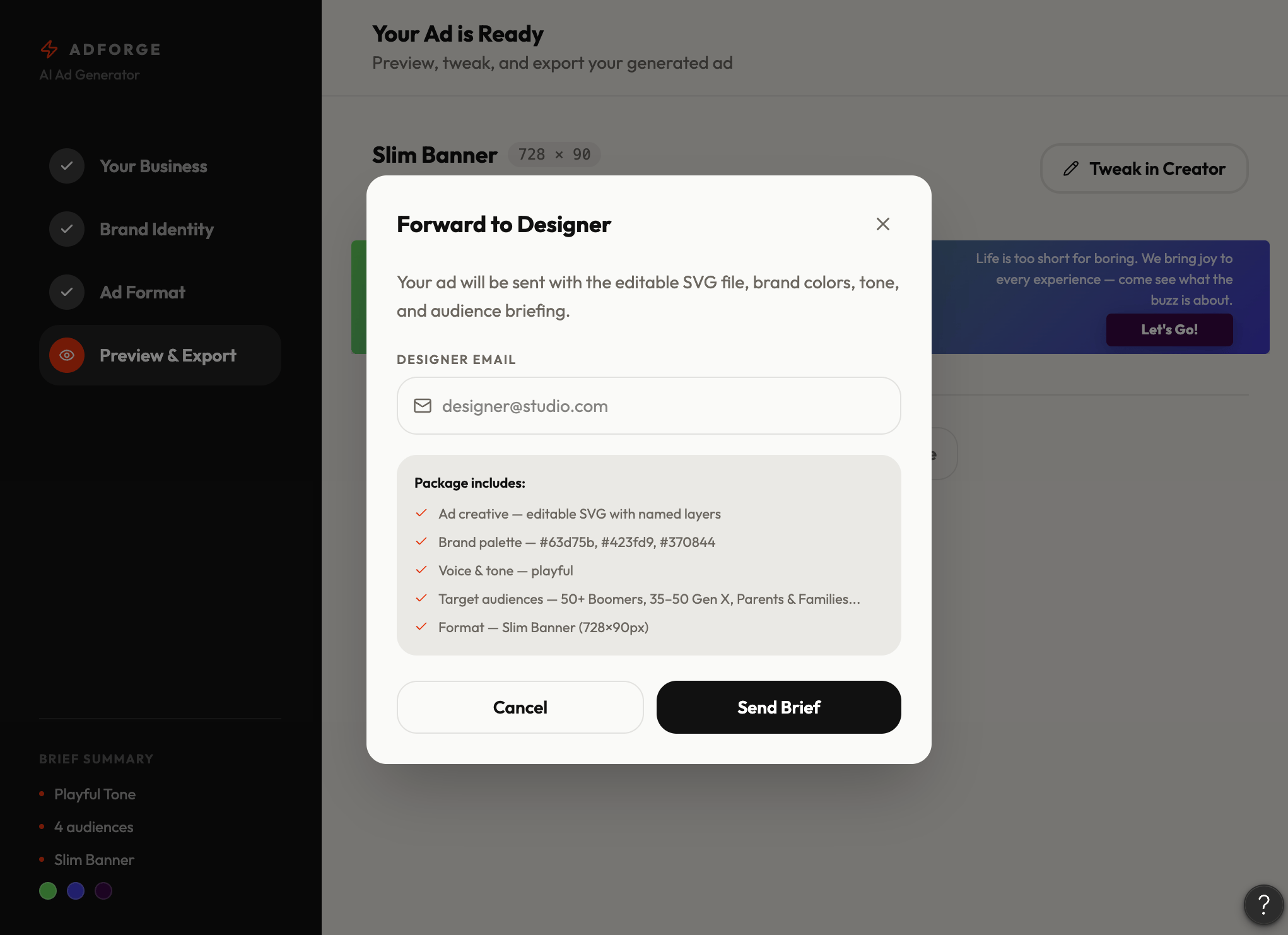
AdCraftr gives small business owners a starting point in seconds. Enter your business, pick a tone and audience, and get a generated ad you can tweak yourself or hand straight to a designer with clear direction already built in.
Outcomes
A functioning AI-powered ad creator that goes from auto generation to exportable ad in under a minute.
AdCraftr enables enough customization to feel personal, and enough simplicity to not require a design background.
The final product is still clearly AI-generated. If AdCraftr were more than an exploration, I would tweak it in Figma myself.
Learnings
- Slow is smooth and smooth is fast
- Vibe coding is most useful get rid of the blank page, iterate quickly, and give you something to critique while you still have fresh eyes.
- Prompt in structured notes
- AI handles generation well but struggles with precision
- AI tools have a design ceiling
Process
Define Prompt
Prompt #1 - Getting Started
- Build a fully functional prototype for a small business owner ad creation tool
- Include an input field where the user can describe their business in plain language
- Add tone of voice selection with options: Professional, Friendly, Urgent, Bold, and Empathetic
- Include a brand color input, allow hex code entry and color picker
- Add a multi-select target audience picker with options such as Homeowners, Small Business Owners, Young Professionals, Seniors, Parents, Pet Owners and Enterprise Buyers
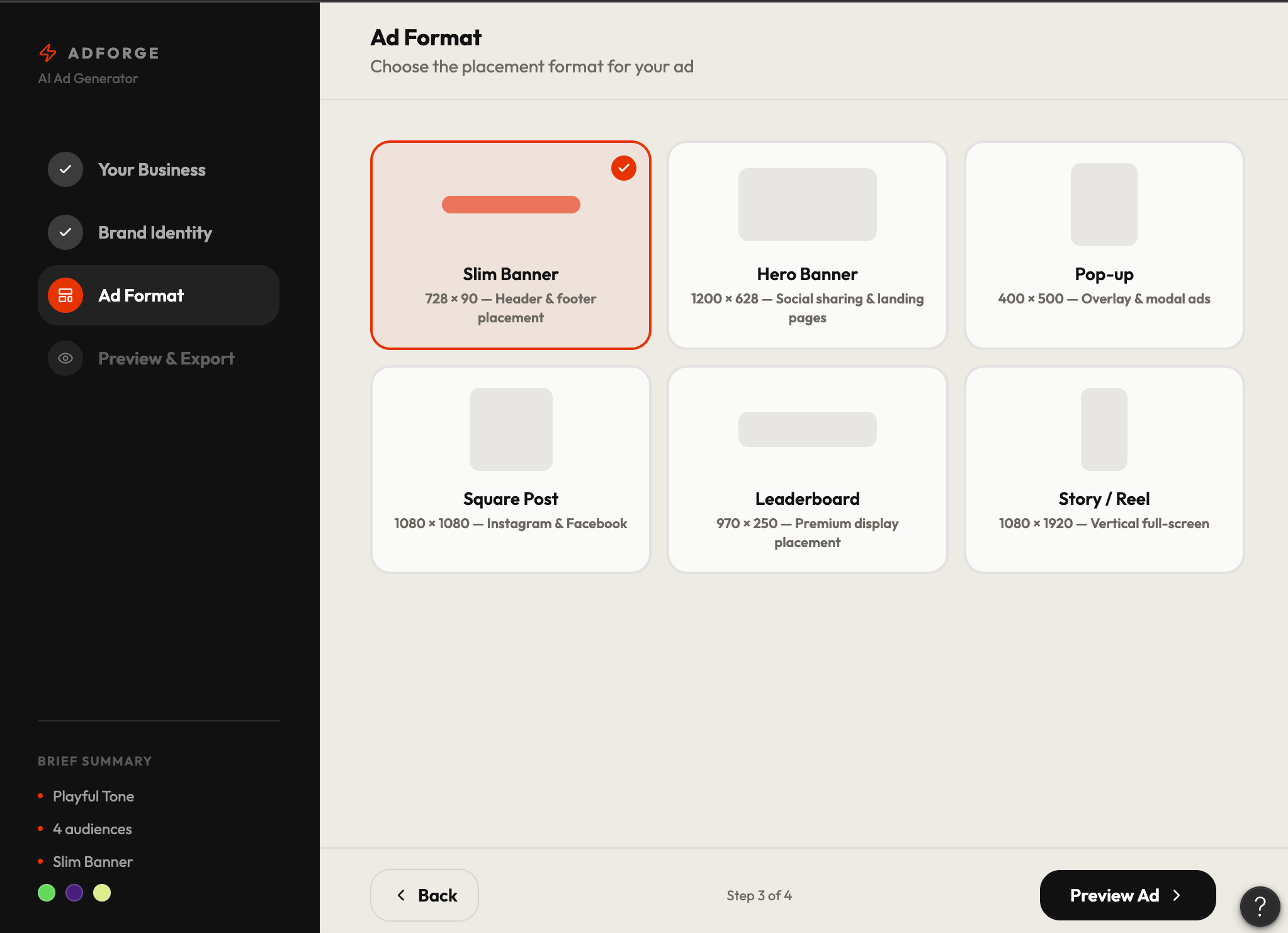
- Include preset formats selection: Slim Banner, Hero Image, Pop-up, and Social Square
- Add a ‘Generate Ad’ button that produces a real ad preview using the selected inputs
- Once the ad is generated, display three action options:
- Forward to designer for tweaks
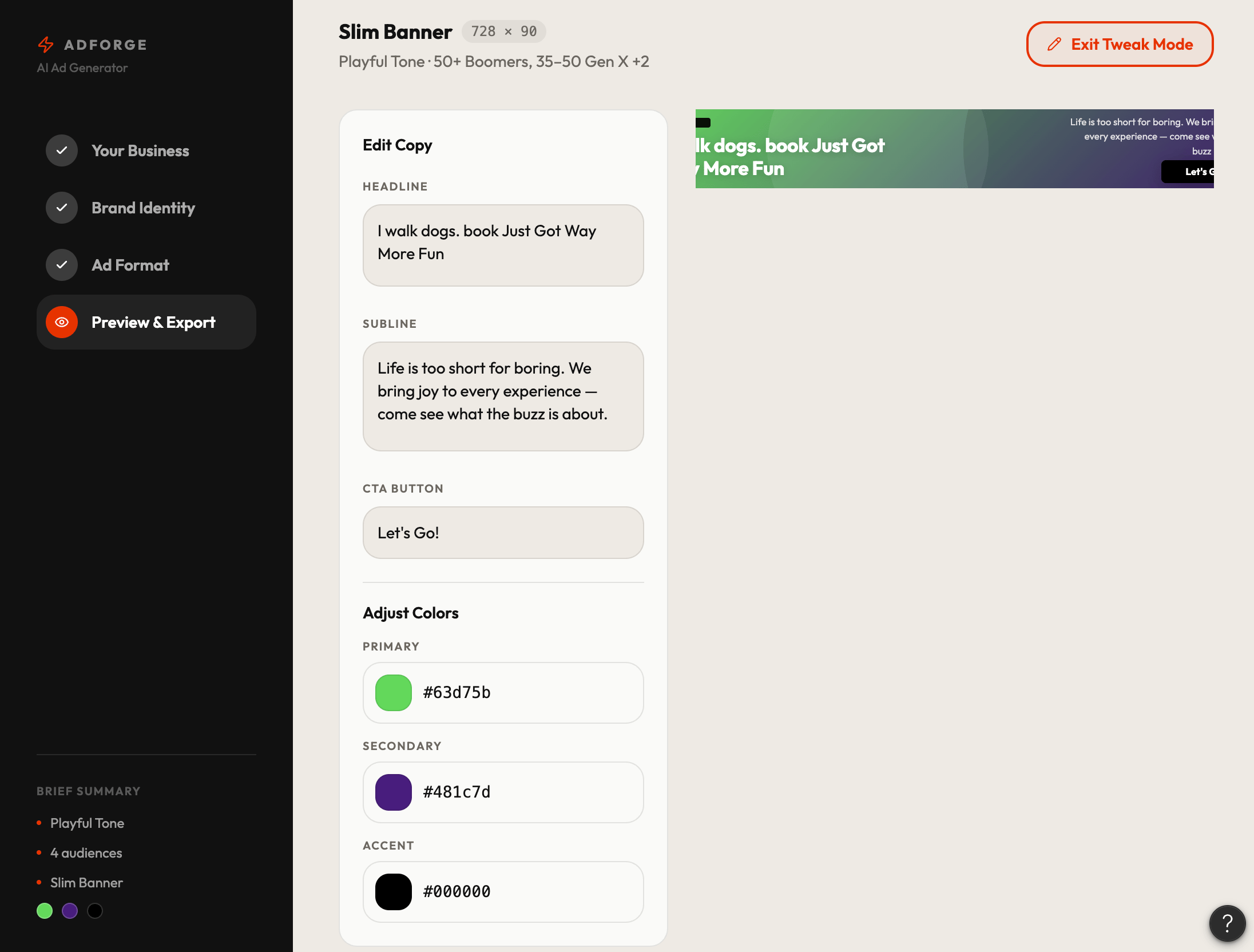
- Tweak in the creator now
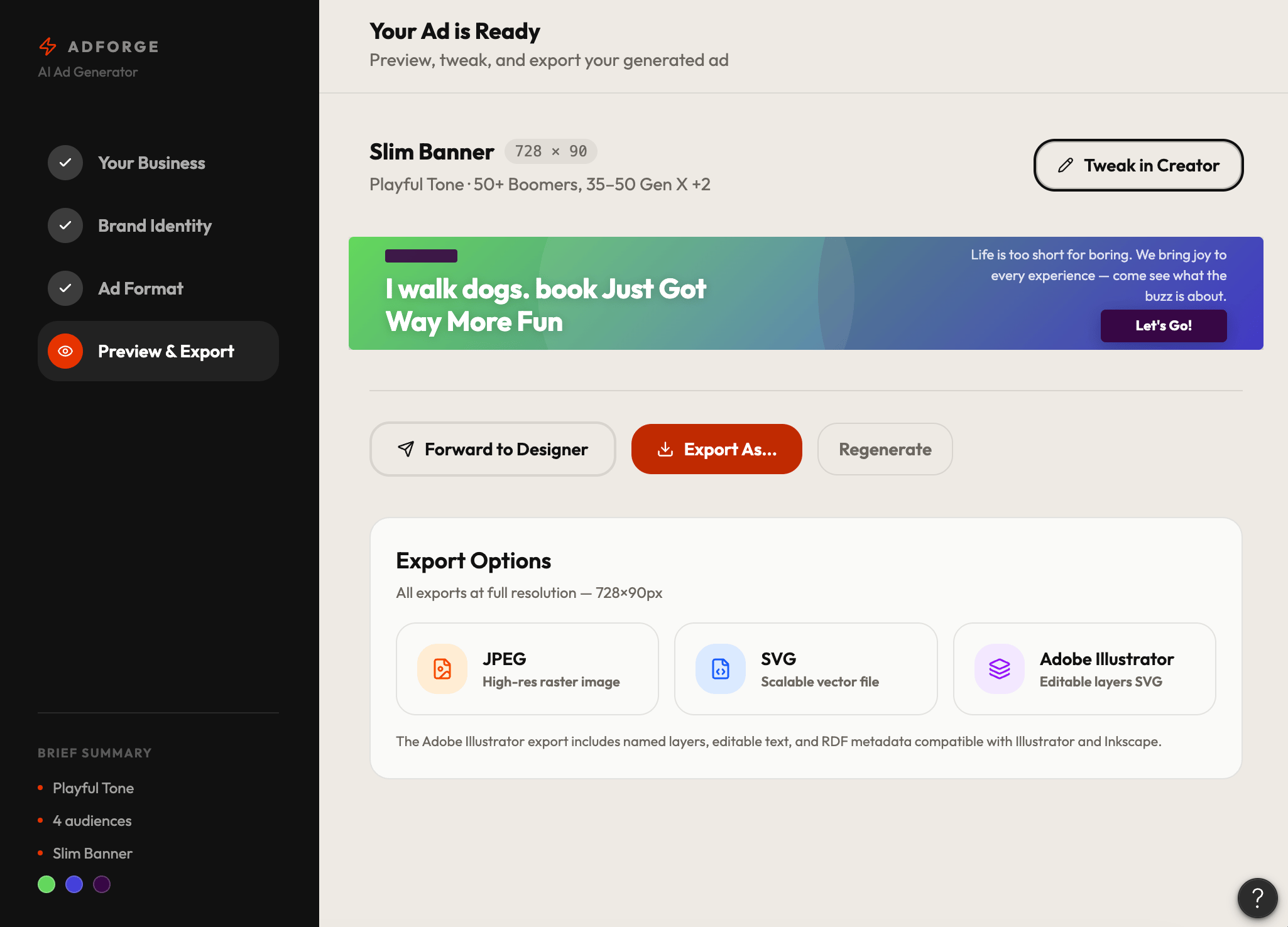
- Export in multiple formats
- Export options should include: JPEG, SVG, and an editable Adobe-compatible file (.ai or .pdf)
- UI should feel clean, modern, and intuitive, designed for non-technical small business owners
- Prioritize mobile-aware layout and clear visual hierarchy throughout
Claude
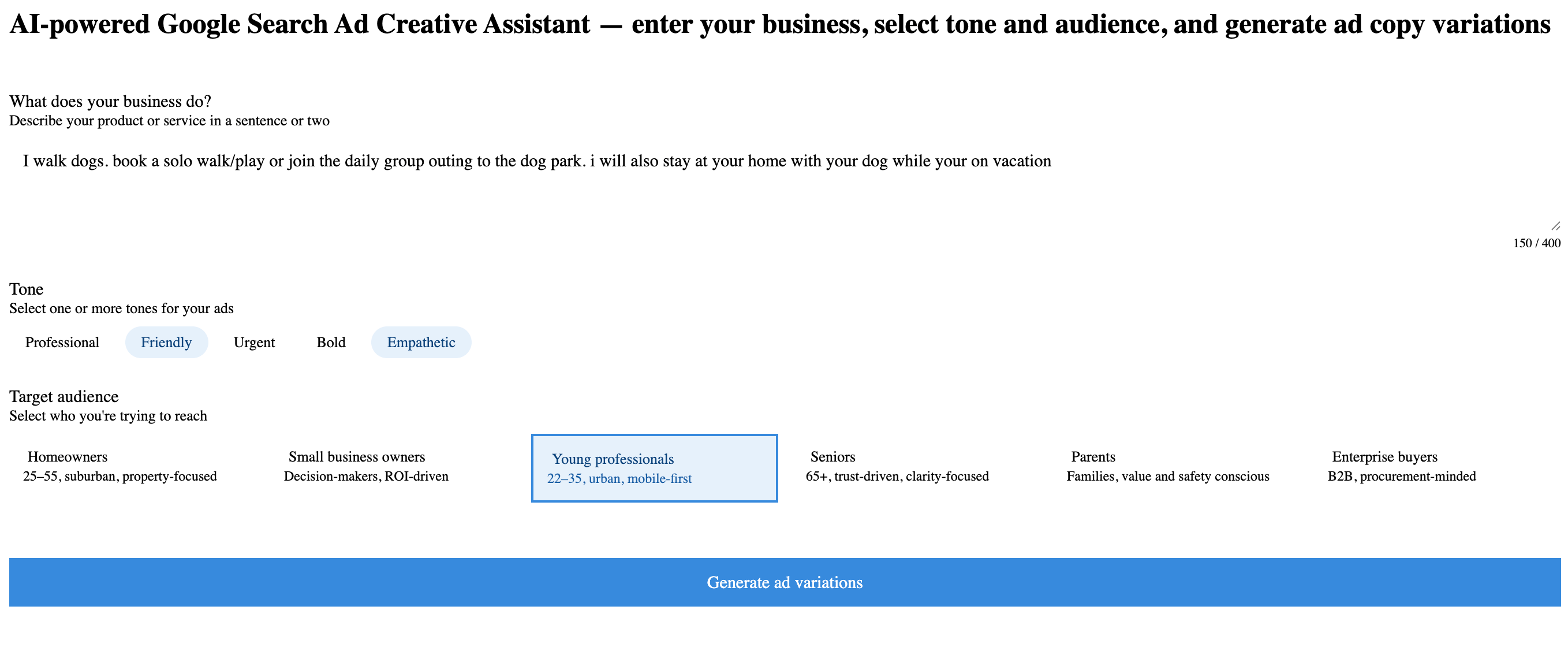
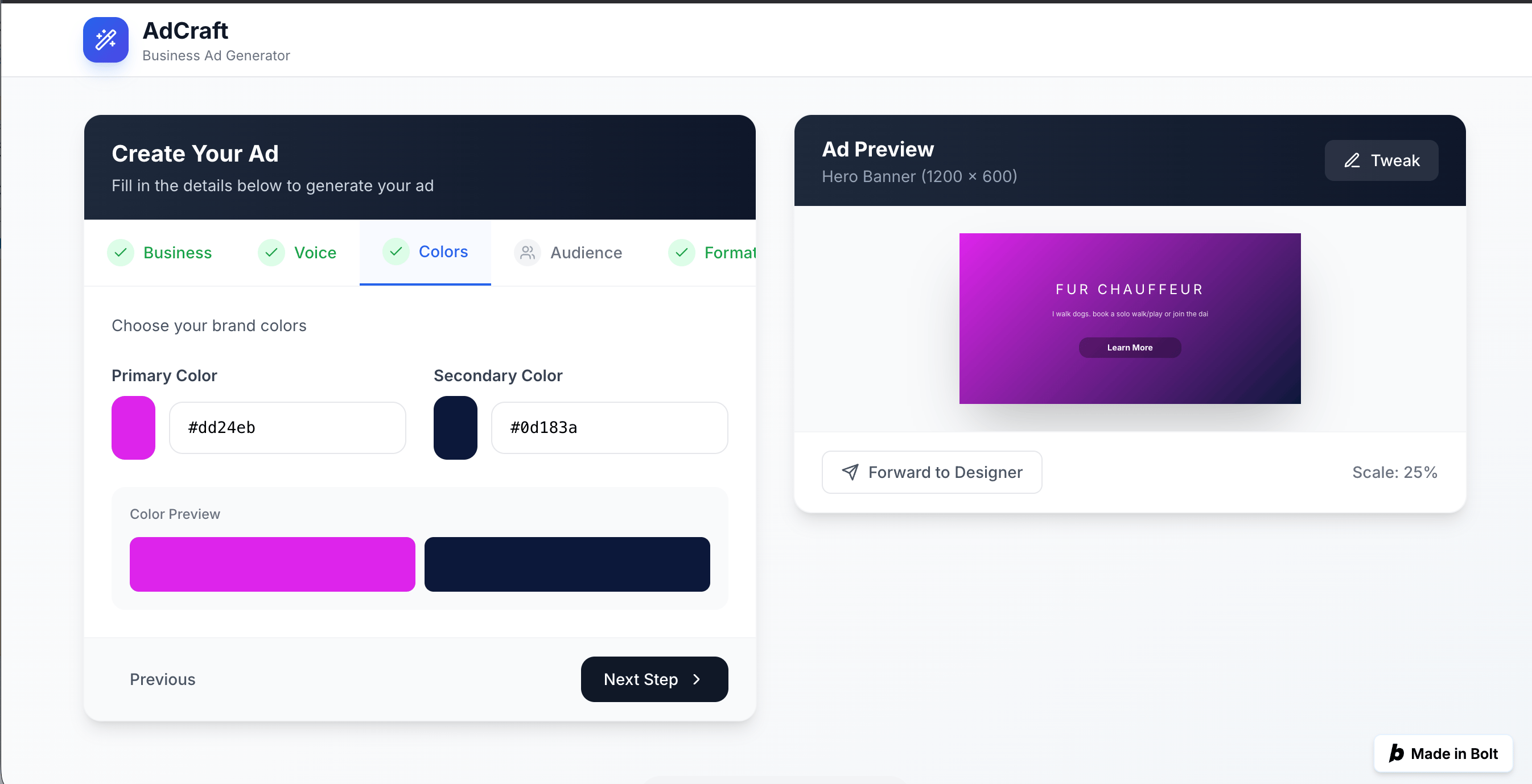
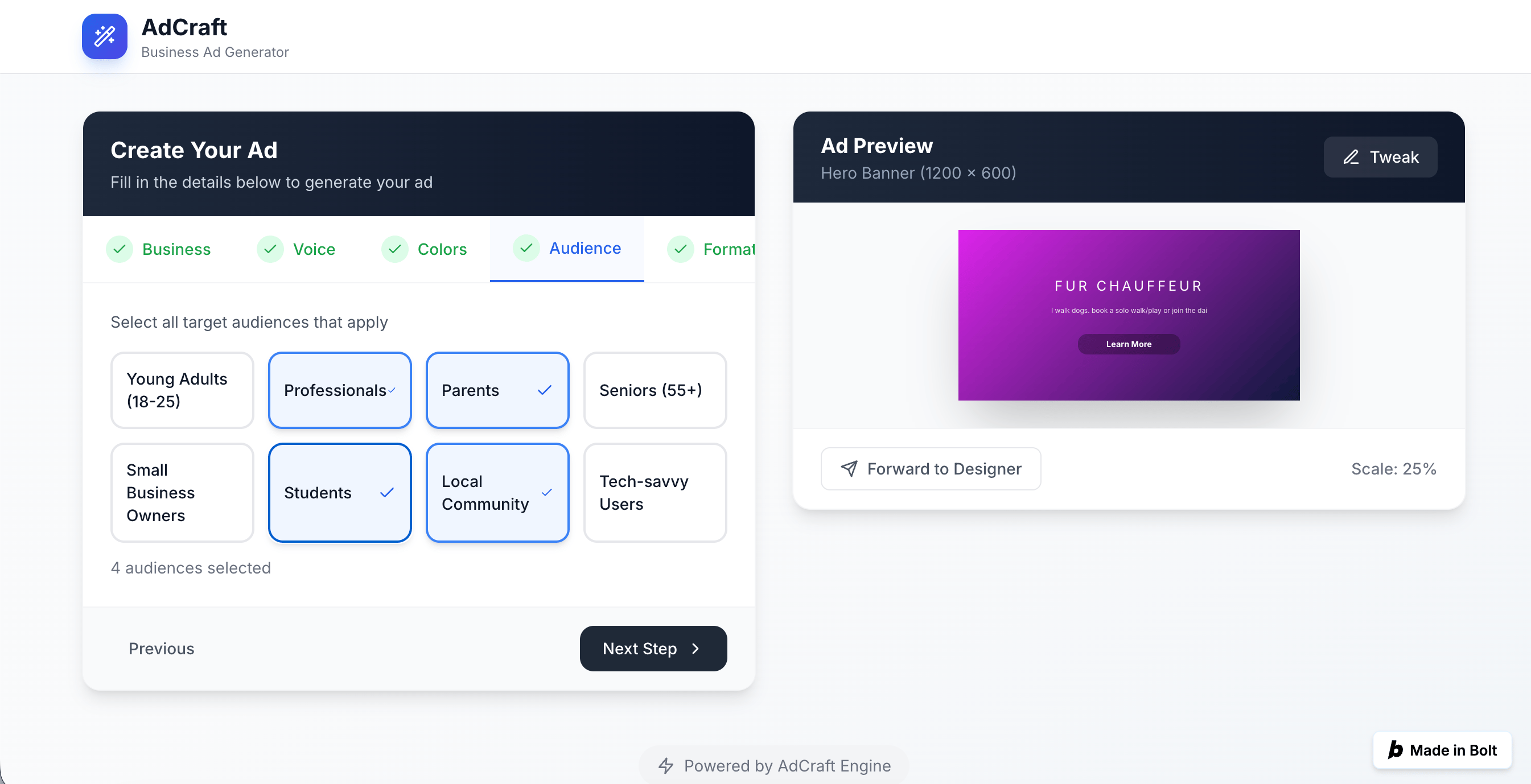
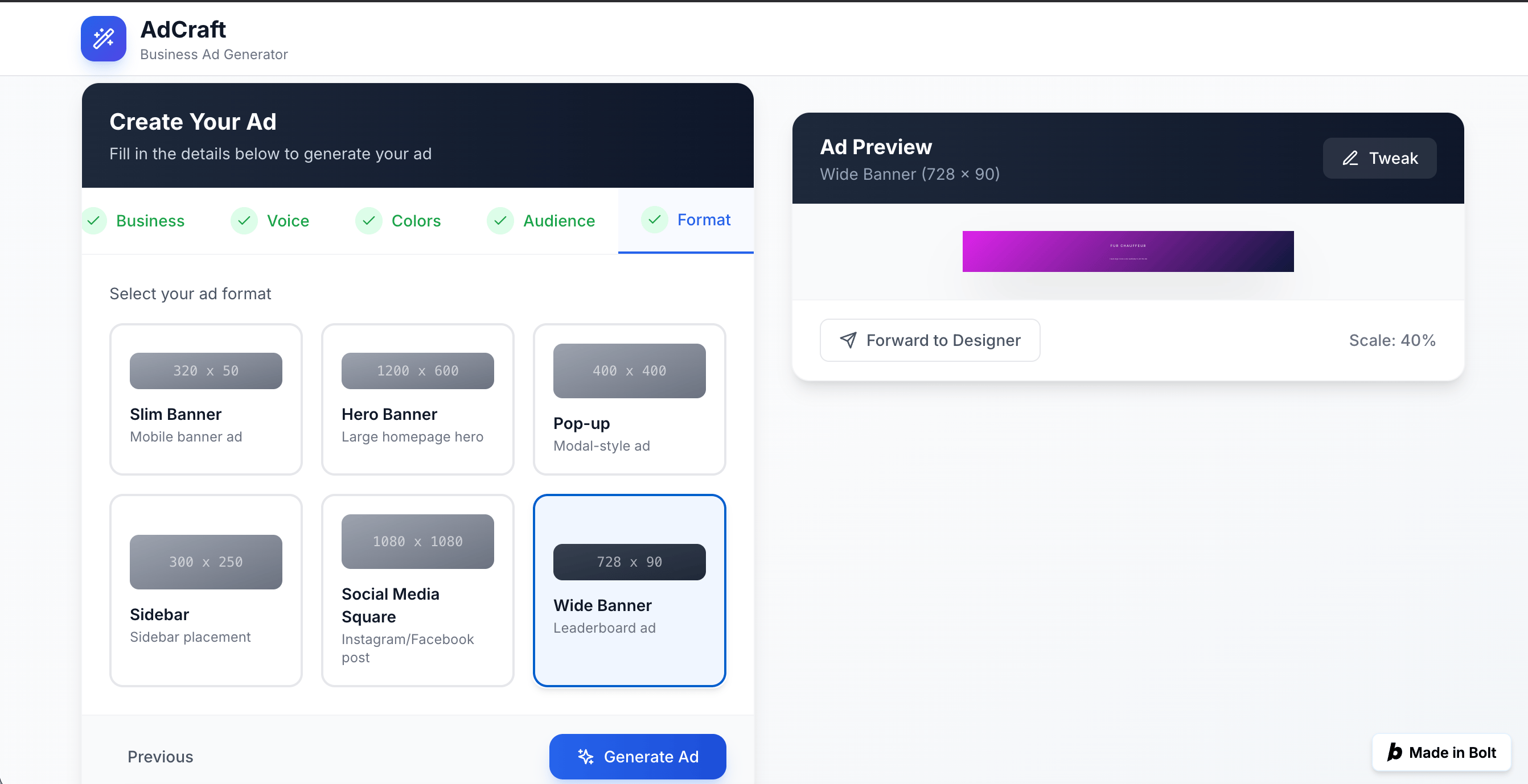
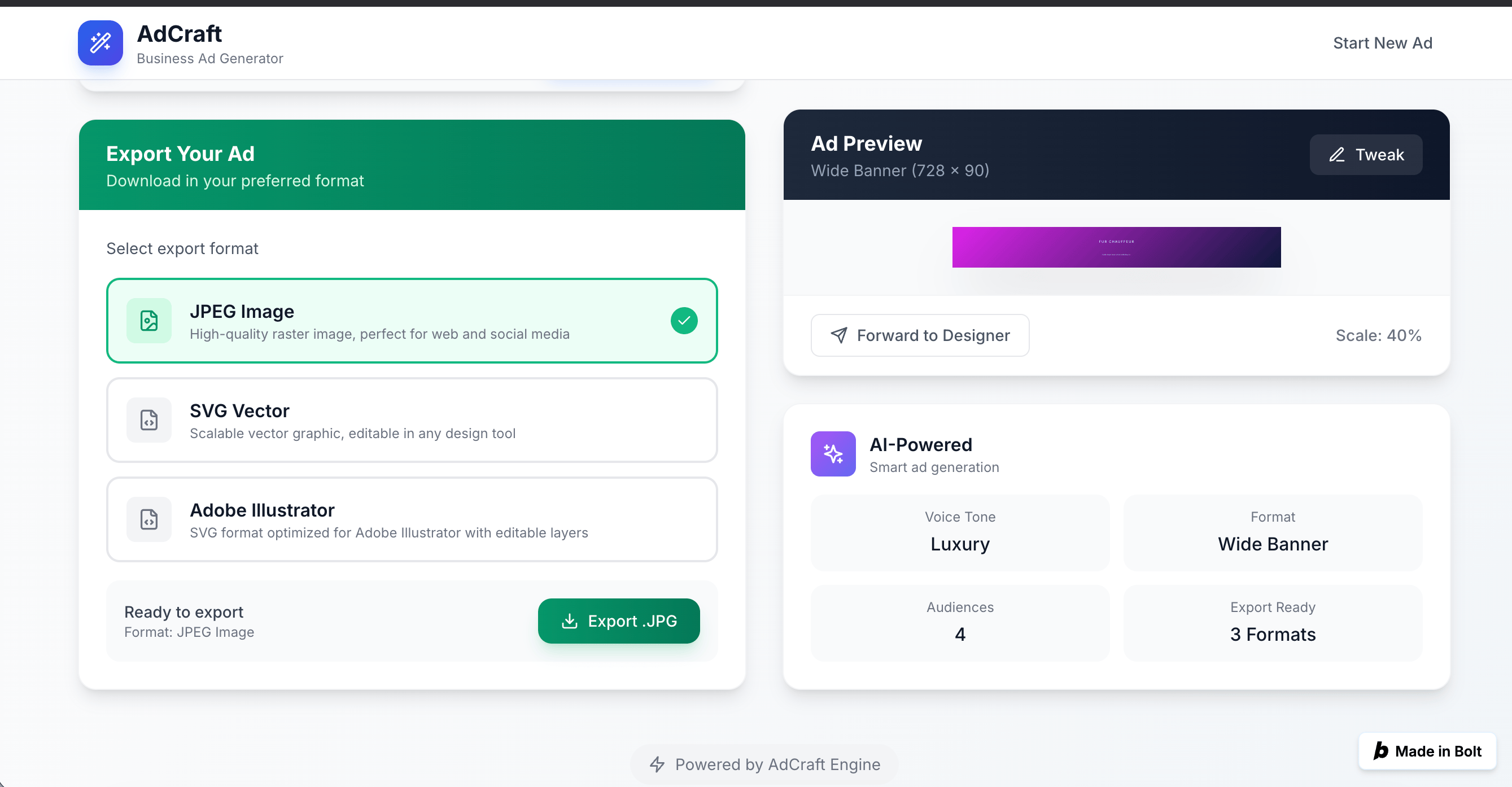
Bolt.new
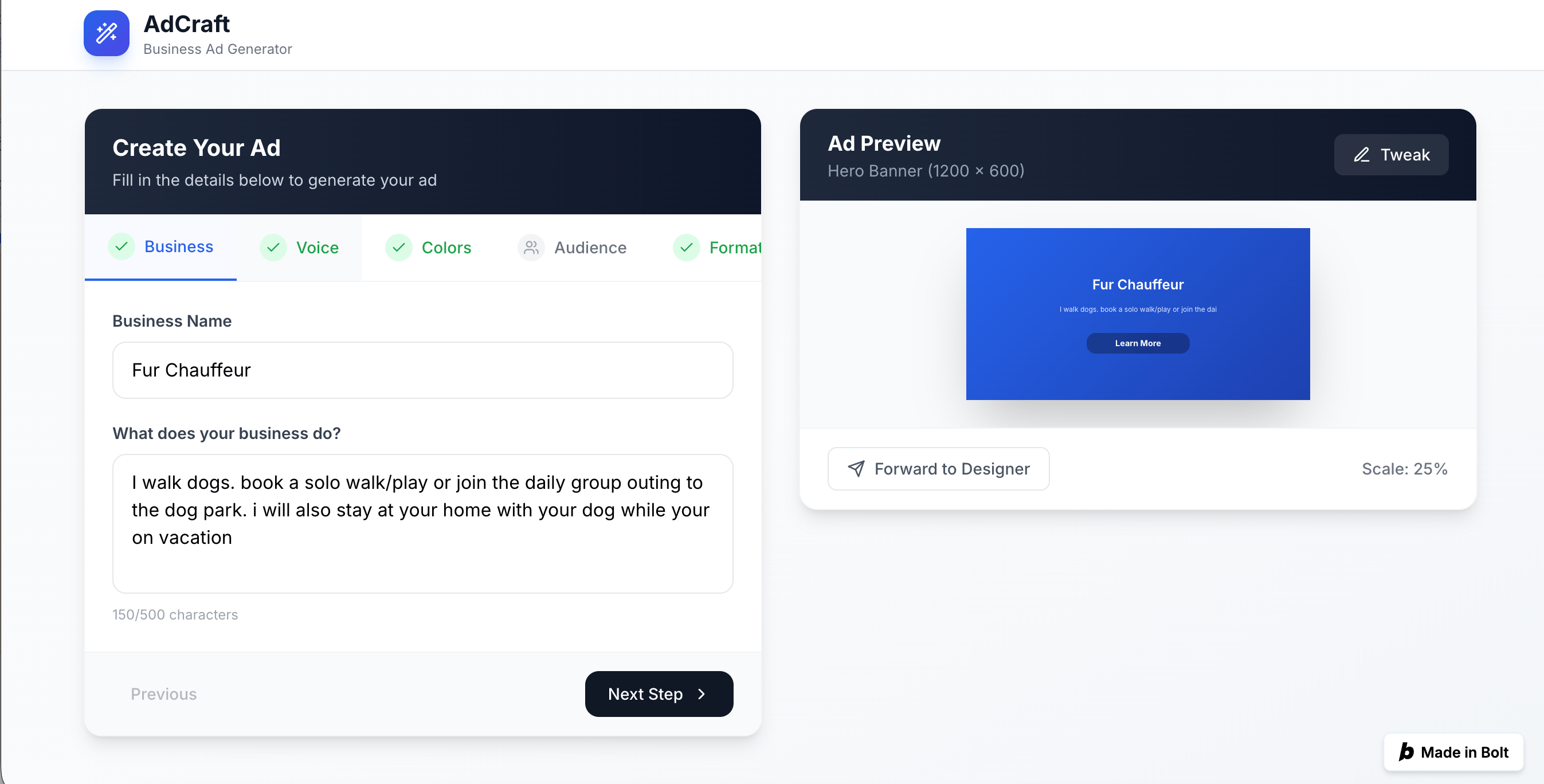
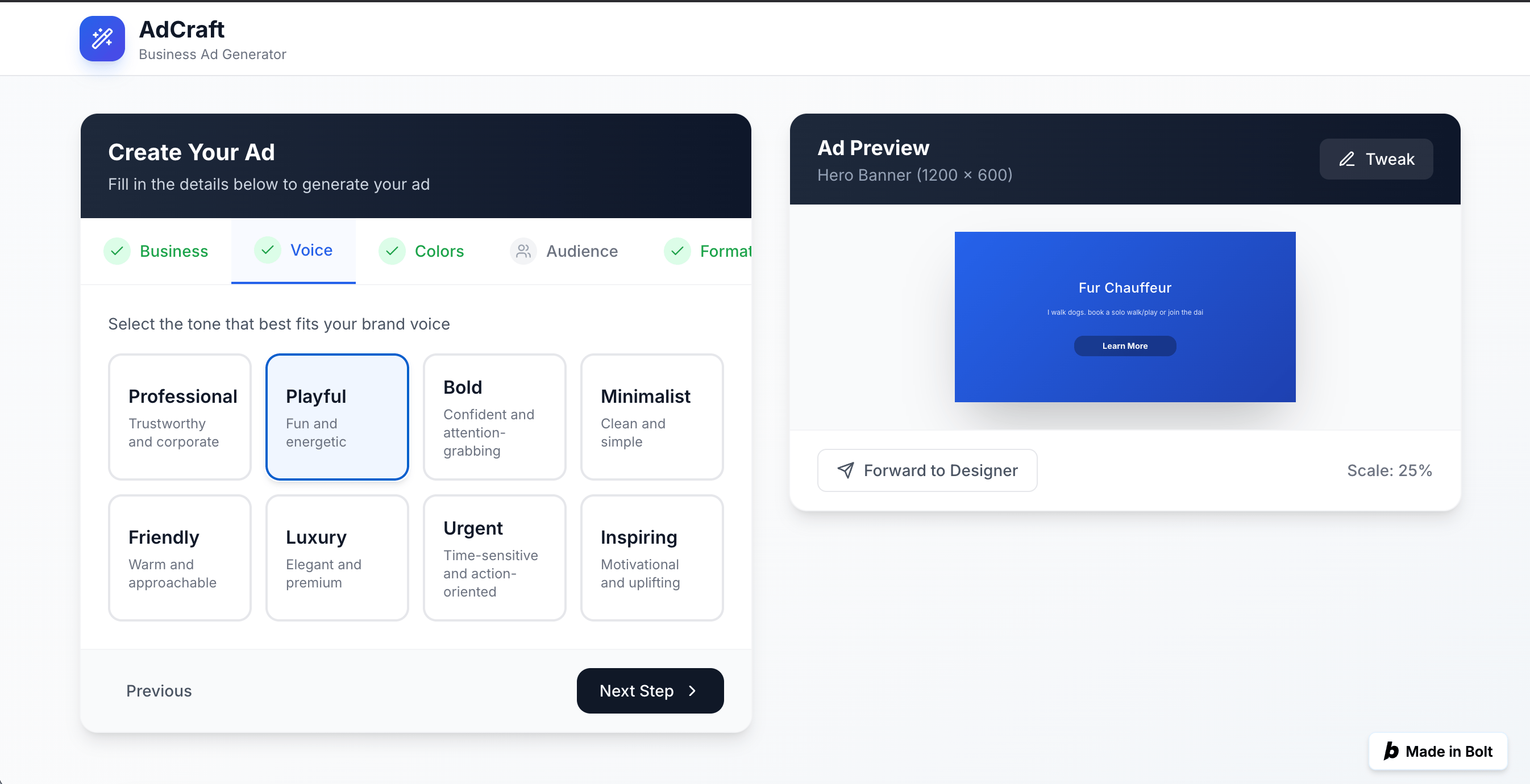
Figma Make
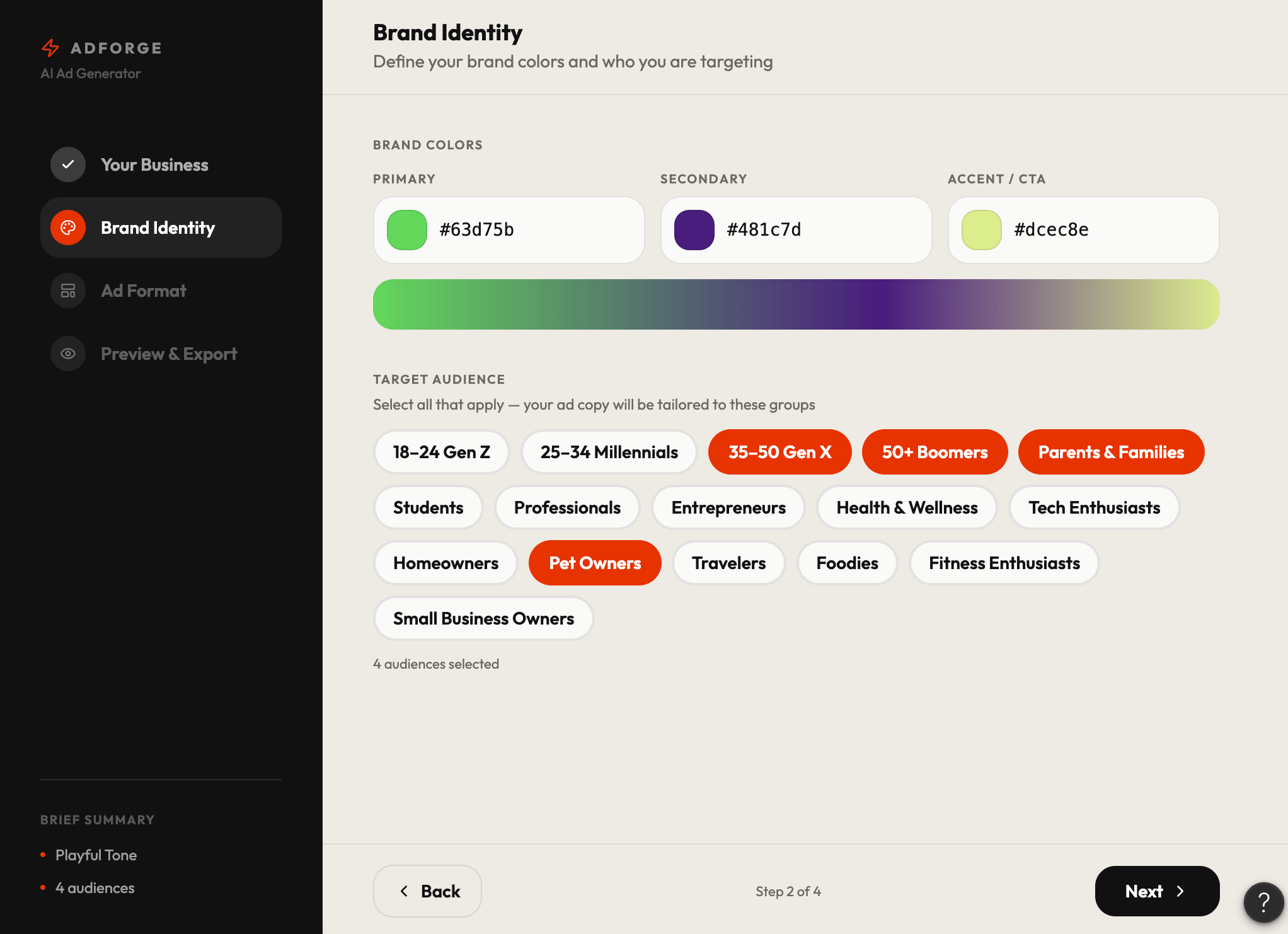
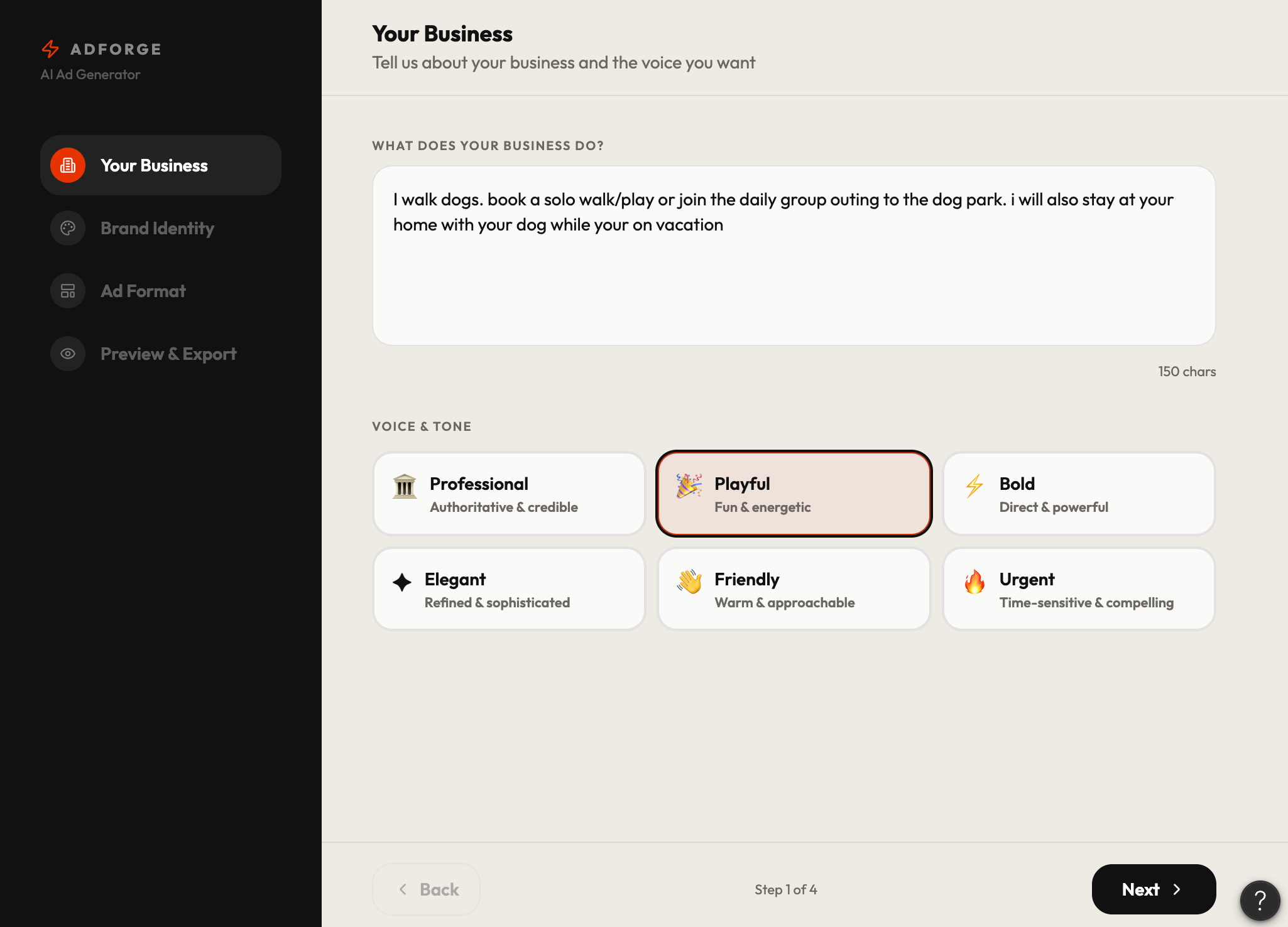
Design Iterate
Decision
Iteration calls for prompting AIs differently based on what they included, how they perceived, and what did and didn’t work. Continuing from this point without Claude, the lack of design awareness and need for credits early got it disqualified.
Prompt #2 - Refinements, Feature Expansion & Preview Controls
Navigation & visual feedback
- Redesign the breadcrumb navigation visually for clearer wayfinding
- Add an orange notification flag to the Voice tab when settings are unapplied
- Replace with a green checkmark once Voice settings are confirmed and applied
- Rename the "Business" tab to "Text"
Text & layout controls
- Add three predesigned text format options:
- Format 1: Tagline as-is, with option to extend length
- Format 2: Checkmark list layout
- Format 3: Two-column text layout
- Enable click-and-drag repositioning of text within the ad preview
- Offer 3 preset layout positions users can snap back to as reset options
- Add text size and button size controls with an undo function
AI-powered tone rewriting
- Within the Tone tab, add an AI rewrite function that rewrites existing copy in the selected direction
- Offer two quick controls: "More Fun" and "More Professional" for one-click tone shifting
Color tab enhancements
- Add gradient direction control — allow user to drag gradient angle or select centered gradient
- Offer preselected color palettes with tone descriptors (e.g. Bold, Warm, Trustworthy, Fresh)
- Allow user to input one brand color and auto-generate a complementary second color
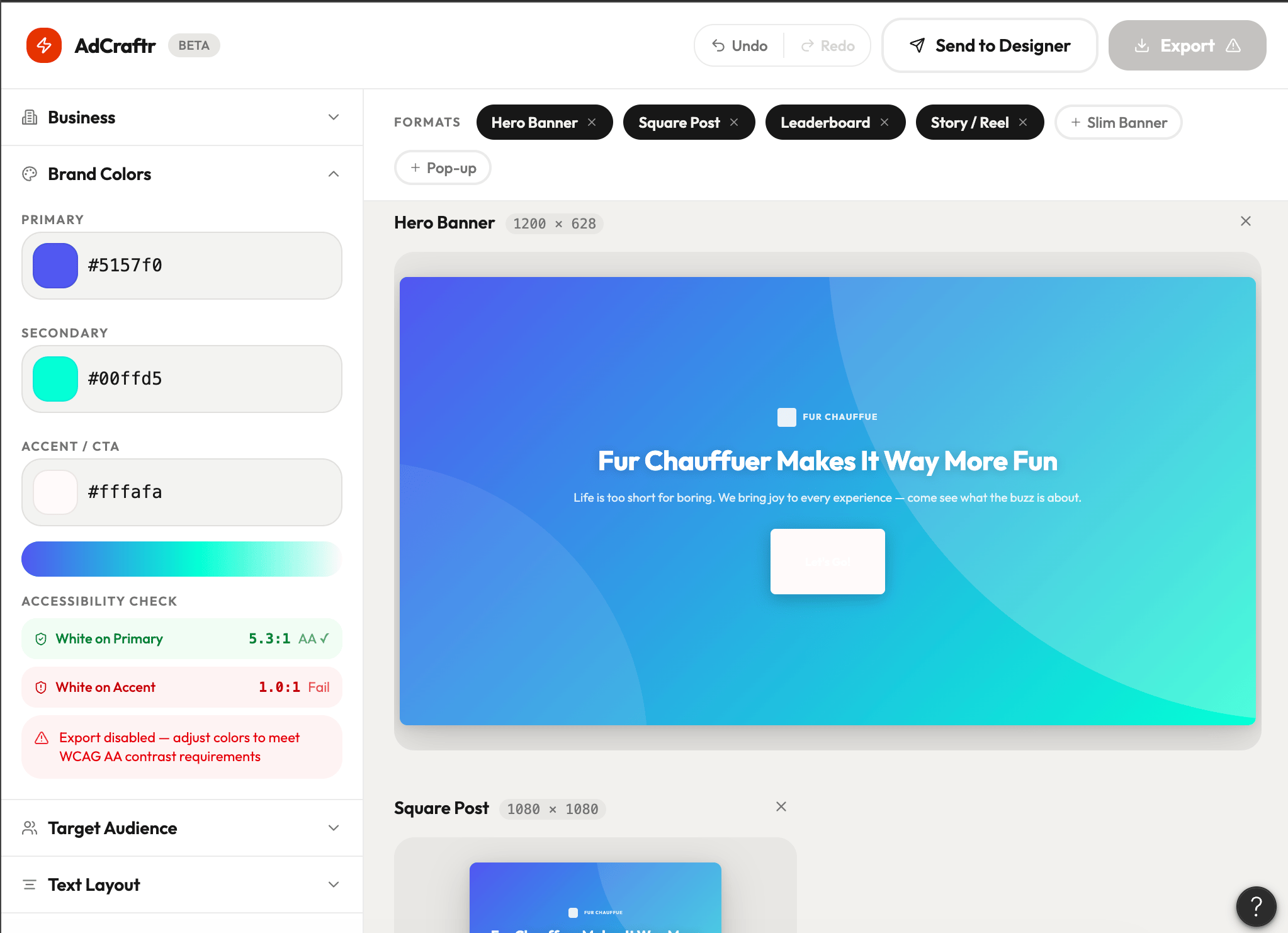
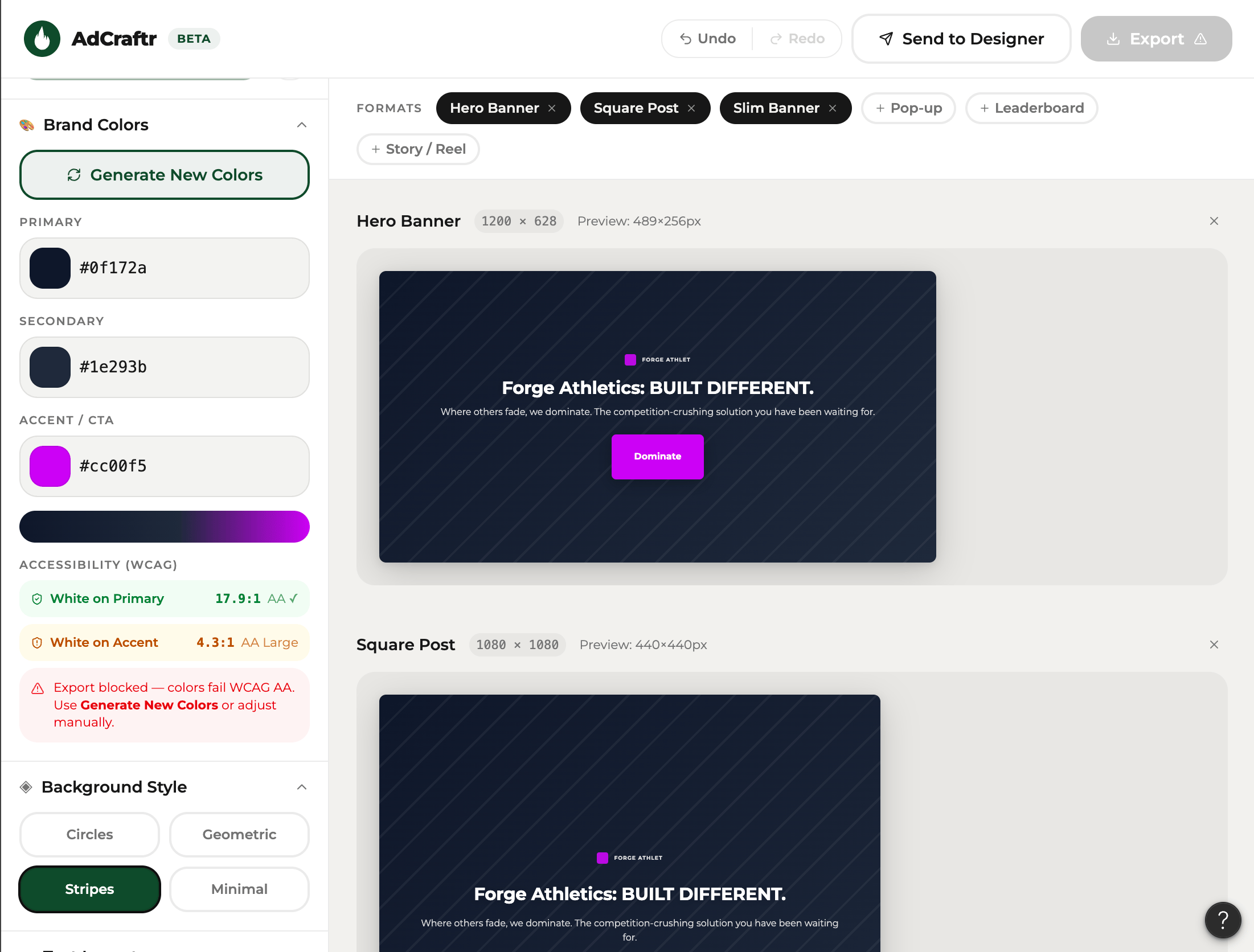
- Enforce accessible color contrast — display a clear error message and block export if contrast fails WCAG standards
Preview & scale
- Add a preview scale selector so users can view the ad at different zoom levels per format
- Include a "View on Page" function that renders the ad inside a simulated web environment matching the selected format (e.g. hero shown on a fake webpage, banner shown in a browser chrome mockup)
Ad analysis
- Add a "Analyze Ad" function that evaluates the final ad and surfaces insights on perceived tone, readability, visual hierarchy, and audience alignment
Bolt.new changes from prompt 2
Color options
Color options
Text options
Text options
V1
V2
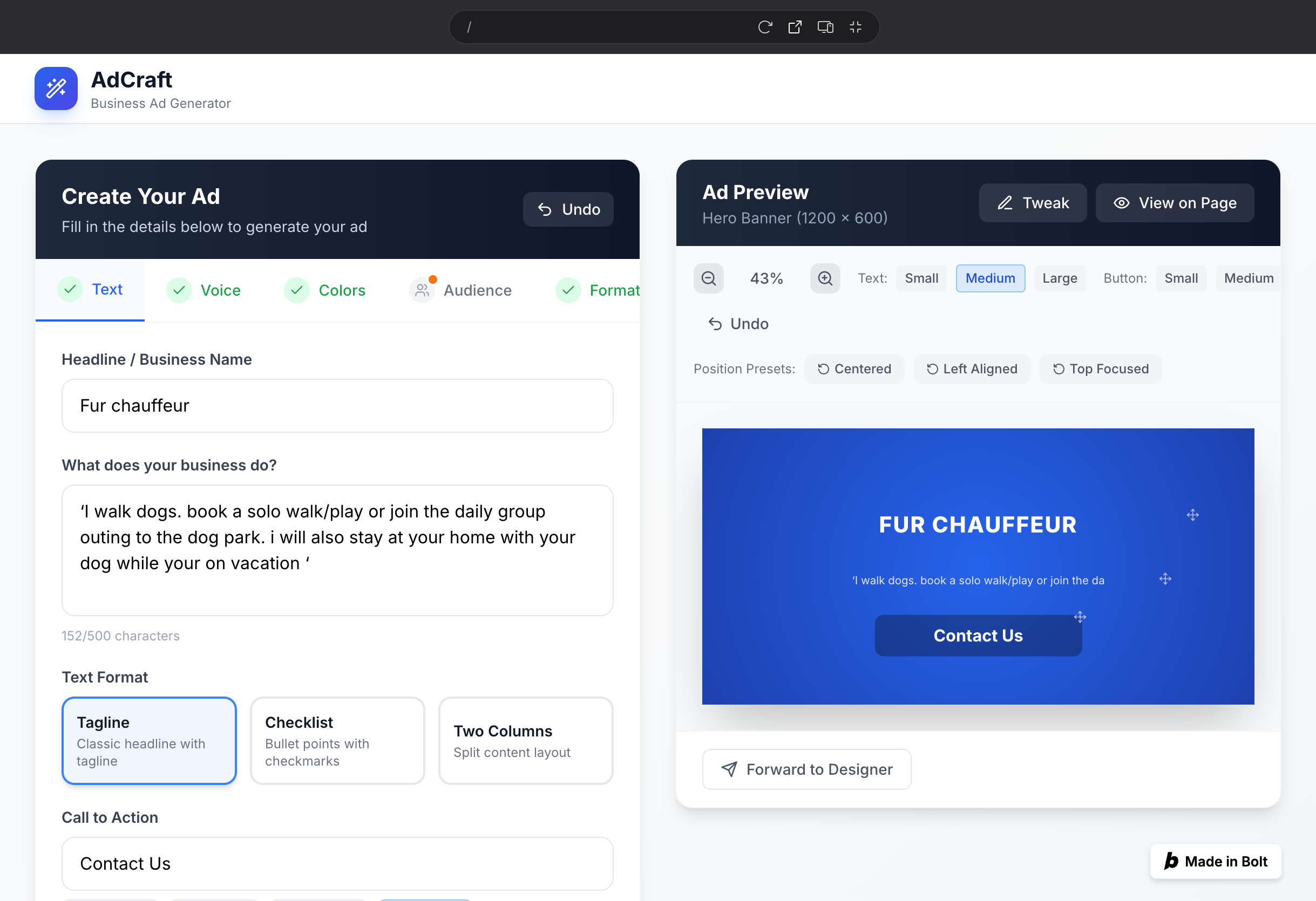
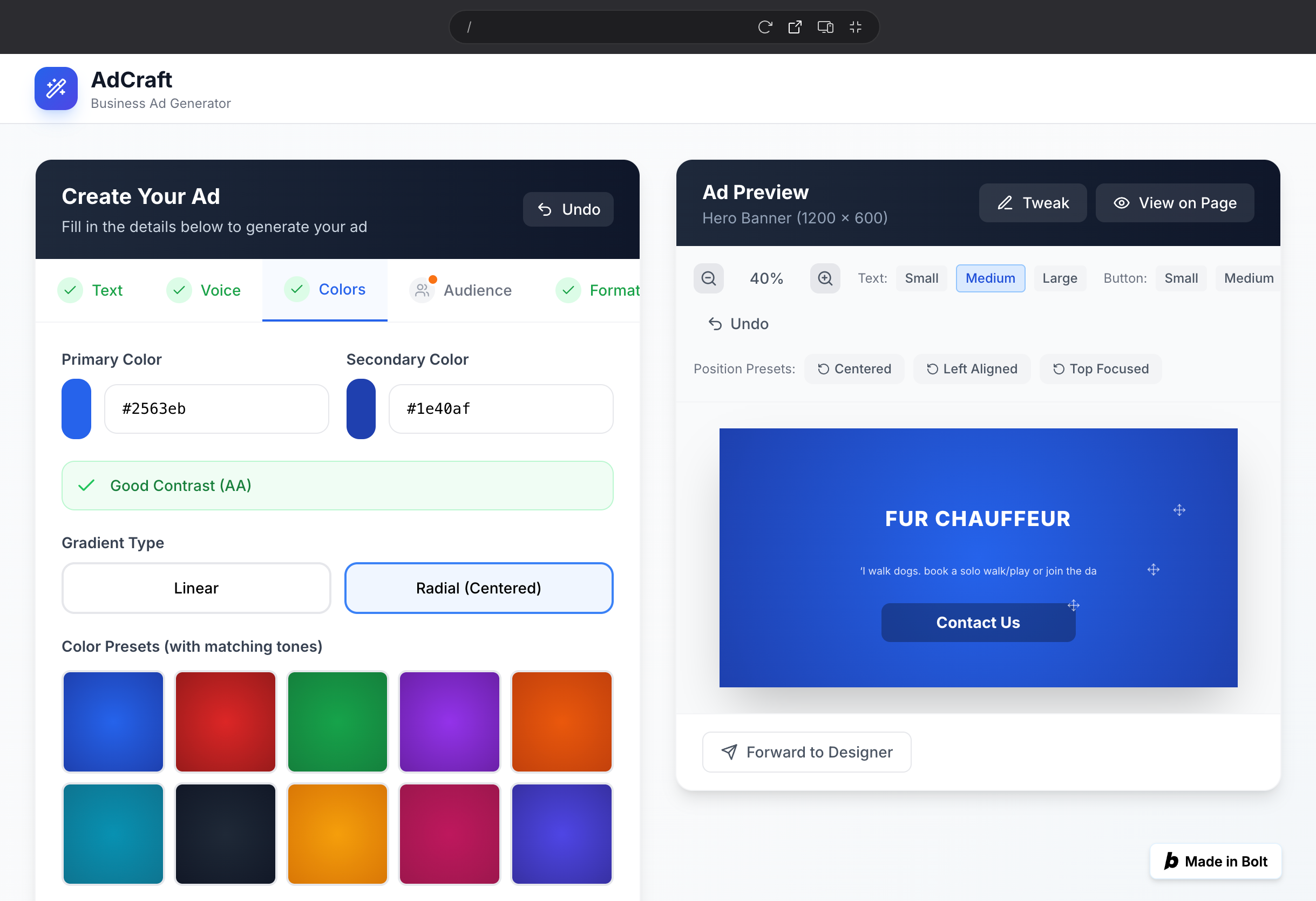
Decision
After a few more corrective prompts, I decided to drop Bolt.new and continue with only Figma Make. Bolt.new has a higher hallucination rate.
Prompt #3
Additions to generated preview section:
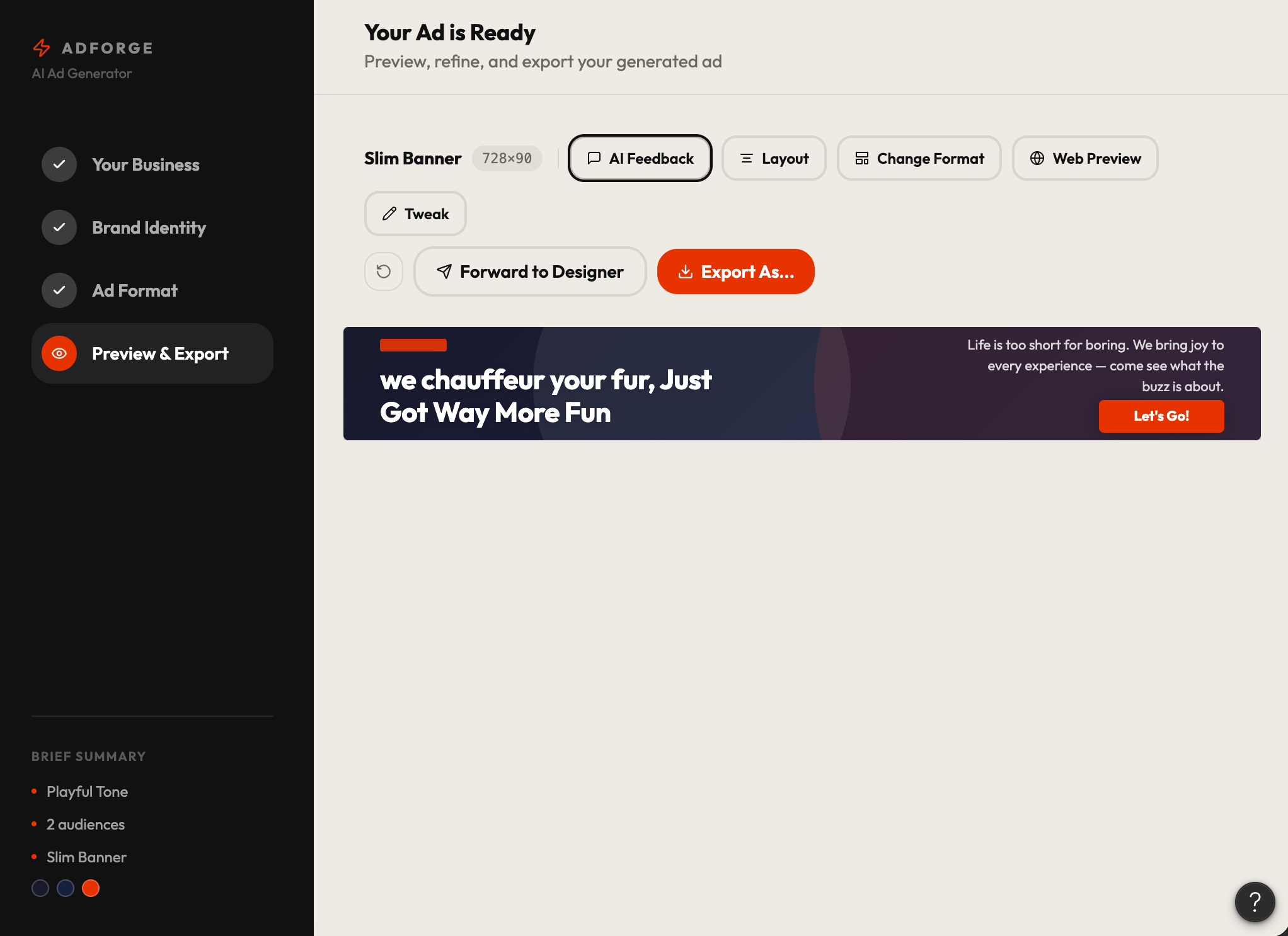
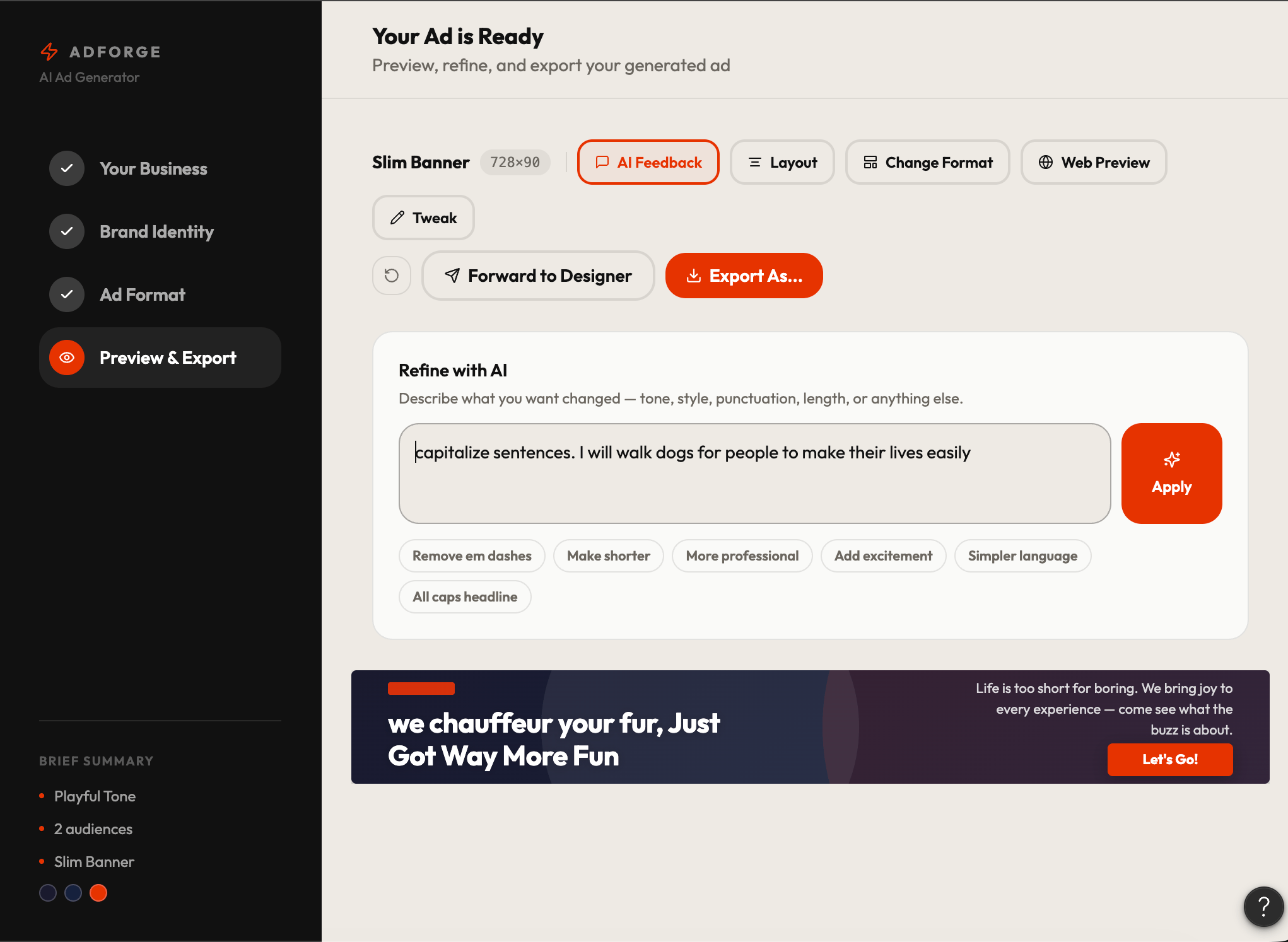
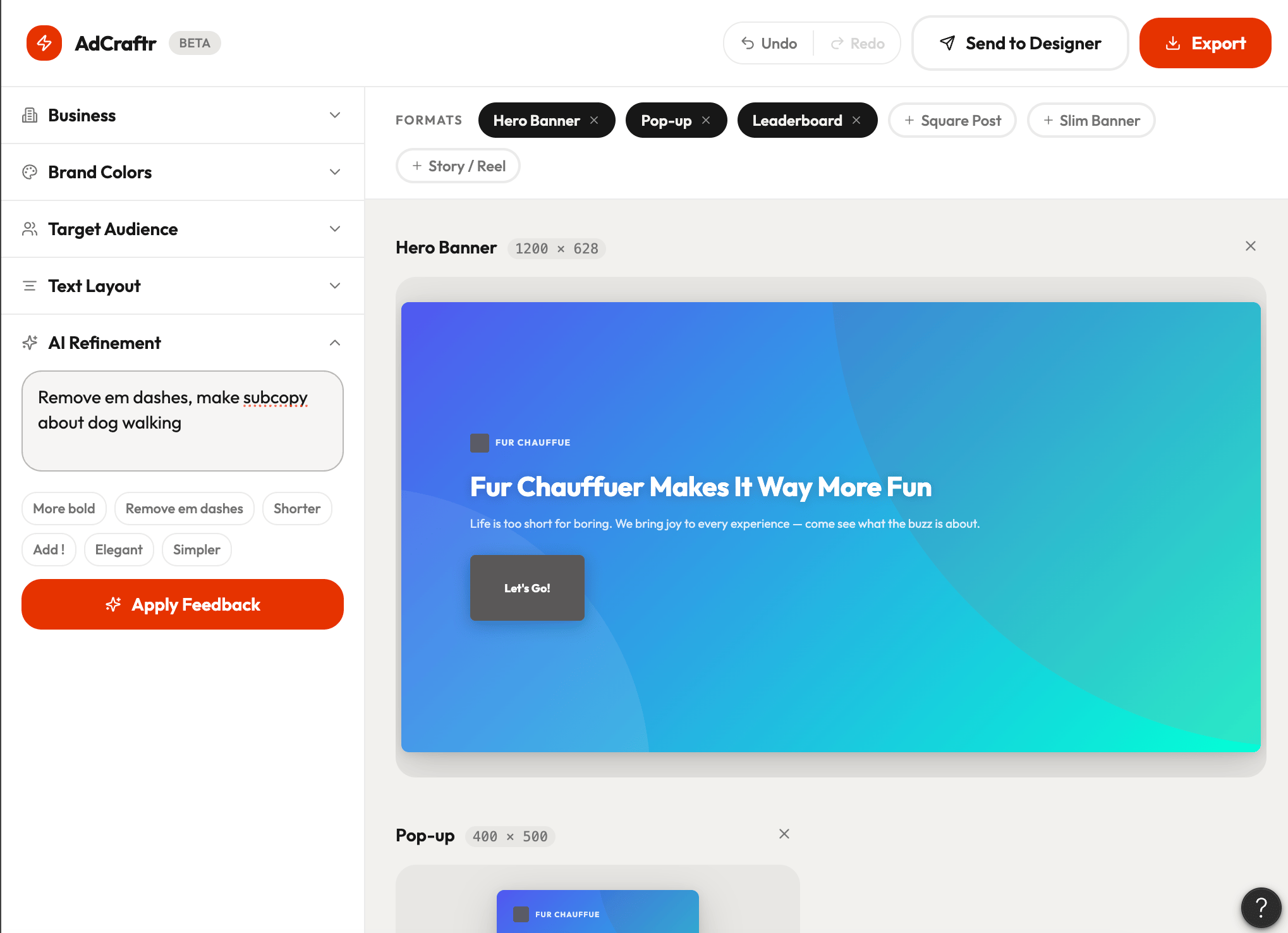
- Add option for the user to write freeform AI feedback directly on the preview screen, include presets: ‘Remove em dashes,’ ‘More professional,’ or ‘More fun’
- Add option to restructure text position from within the preview
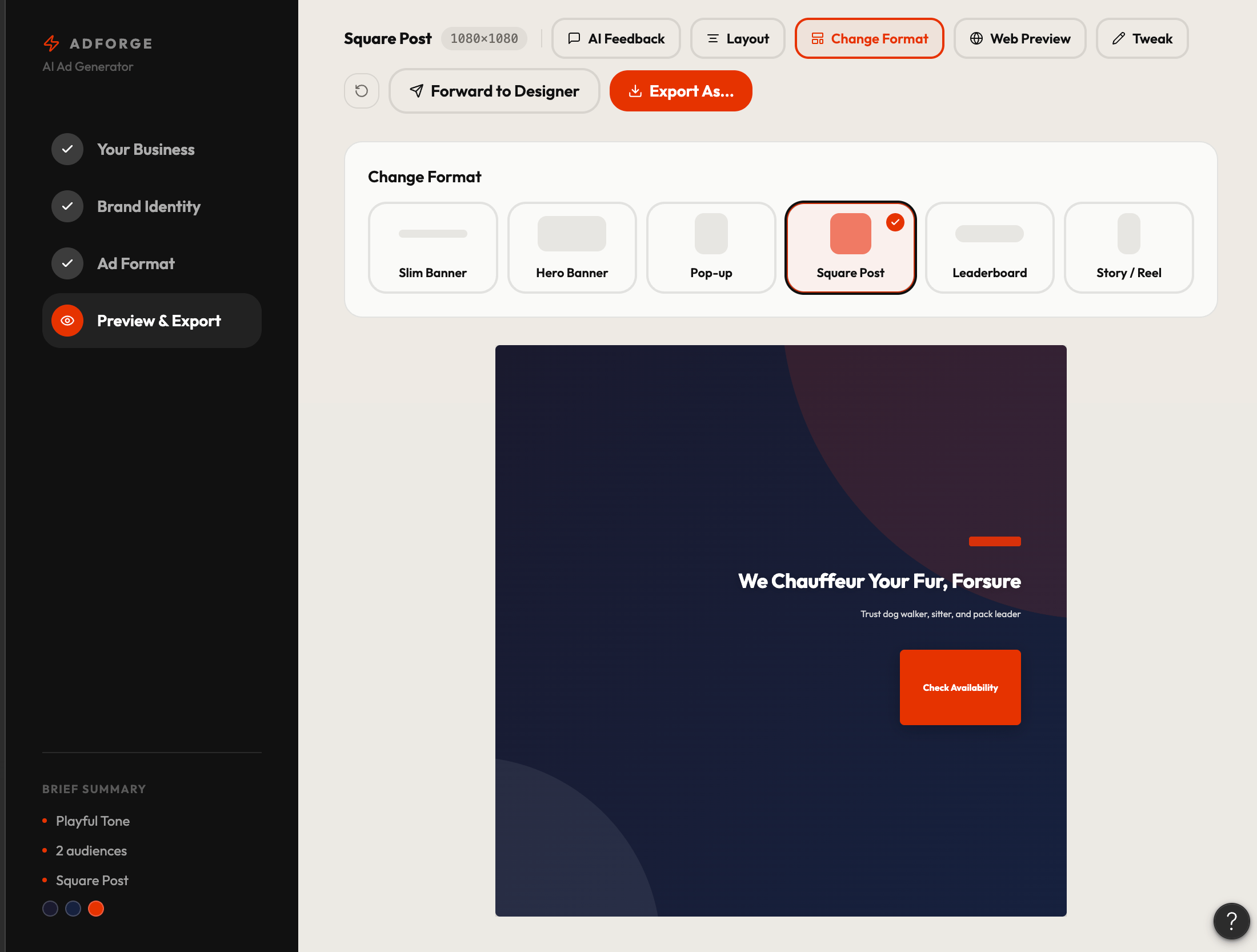
- Add option to change ad format without leaving the preview screen
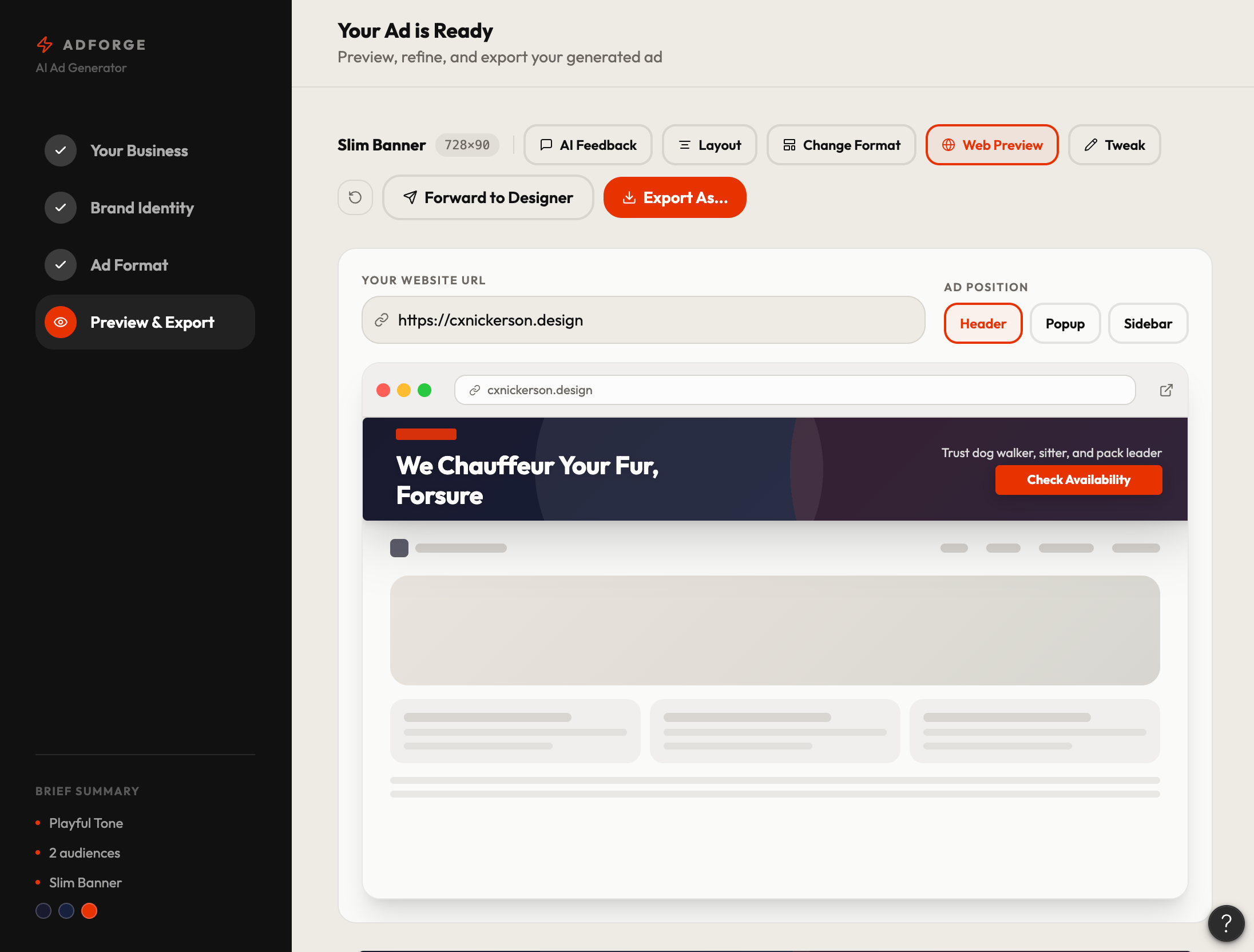
- Add option to input a live URL and view the ad previewed in context on their actual webpage
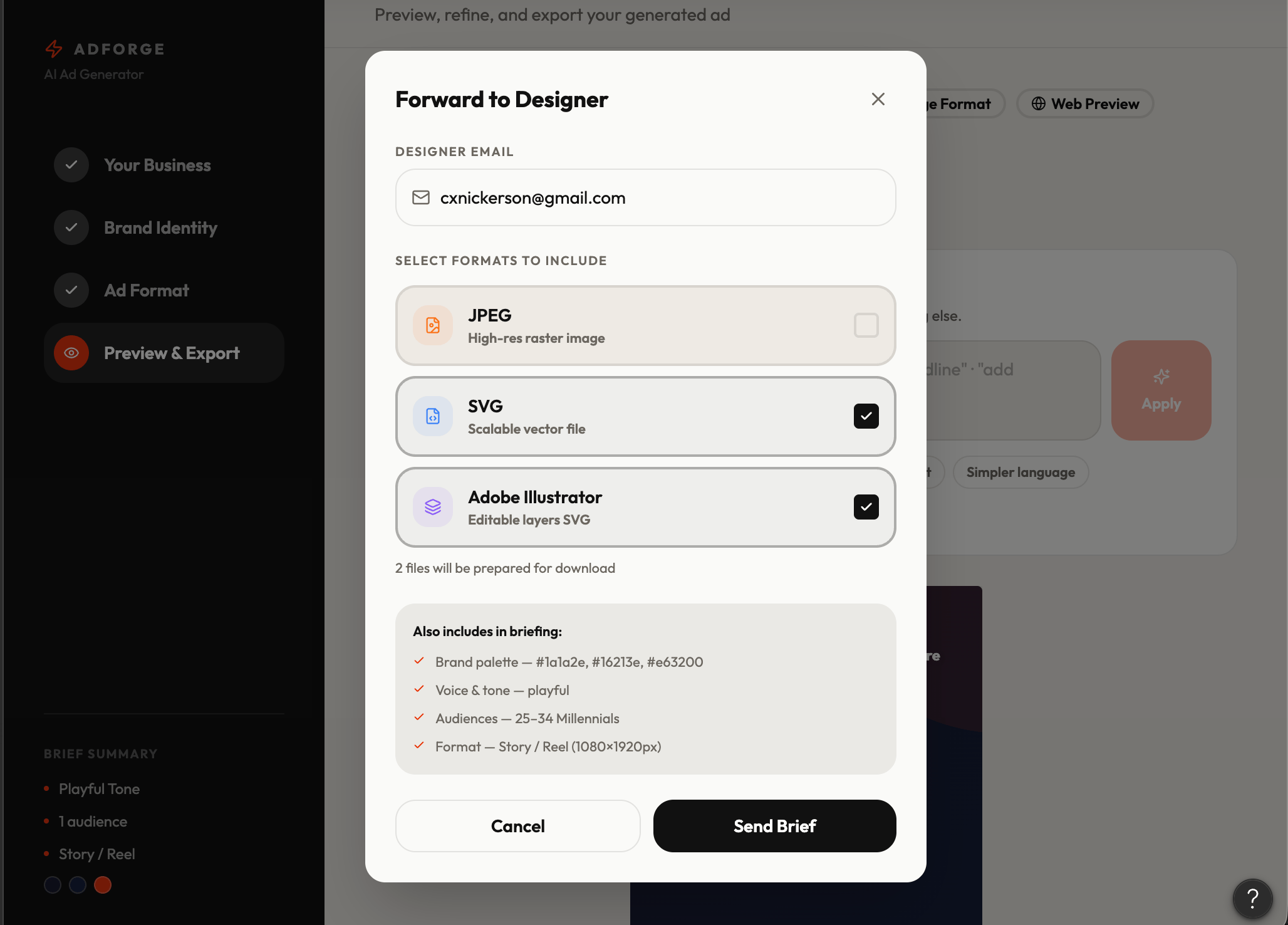
- Add ’Send to Designer’ feature with option to send in multiple formats simultaneously
Figma Make V2, updated from prompt 3
Decision
Still too complicated. Now that I’ve explored features, I want to condense them.
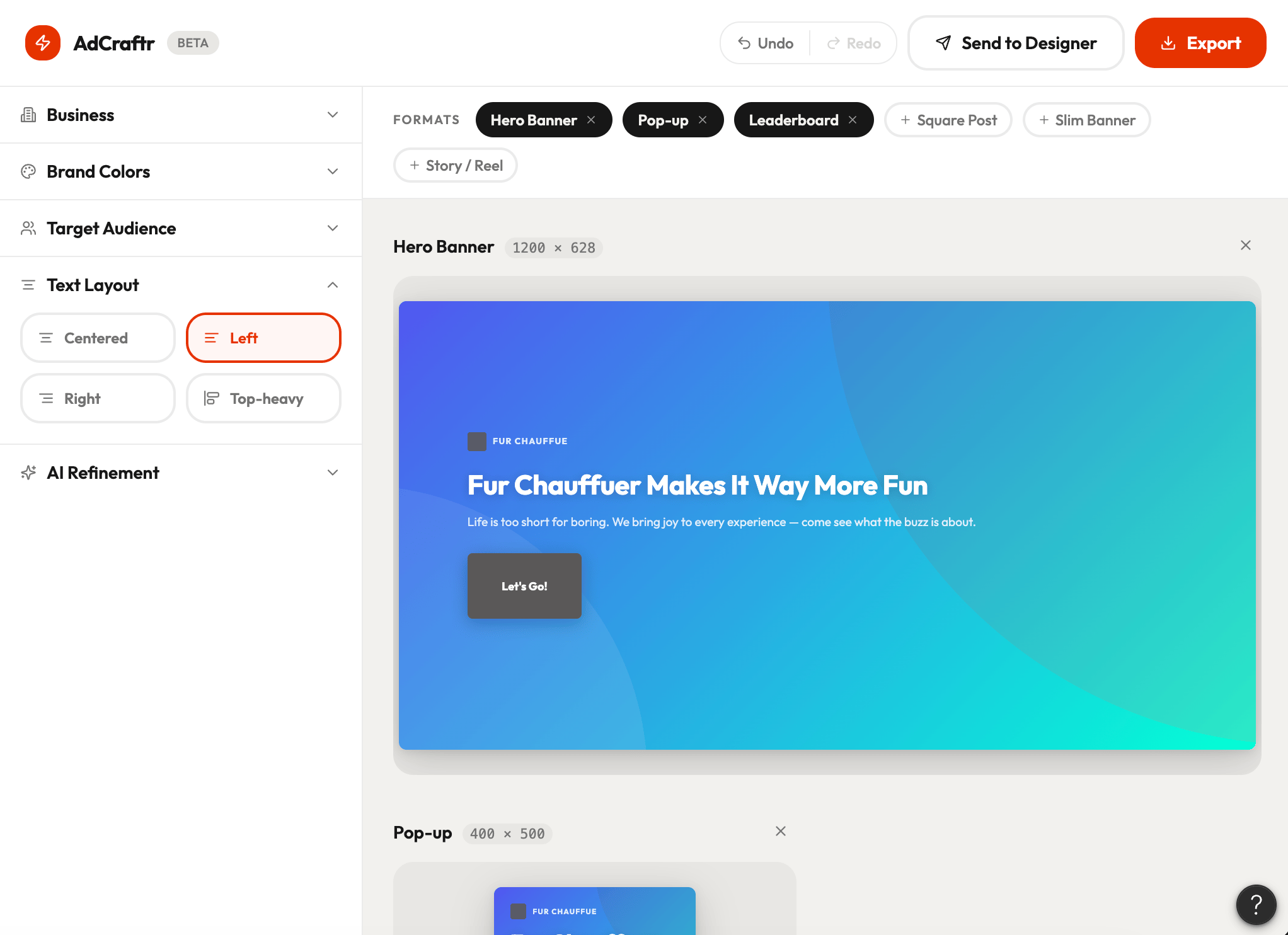
Prompt #4 - Redesign to consolidate features
Concept & layout
- Rename the application "AdCraftr"
- Redesign the entire UI around a single preview-centric layout — the ad preview is the hero of the screen and everything is editable directly from it
- Replace the tab navigation with a widget-style UI — floating panels, collapsible sidebars, or contextual toolbars that appear inline rather than tabs across the top
- Display a randomly generated placeholder ad on load that updates dynamically as the user inputs their information
Exposed core inputs
- Keep the following fields always visible on the main screen without requiring navigation:
- Business name field
- Business description field
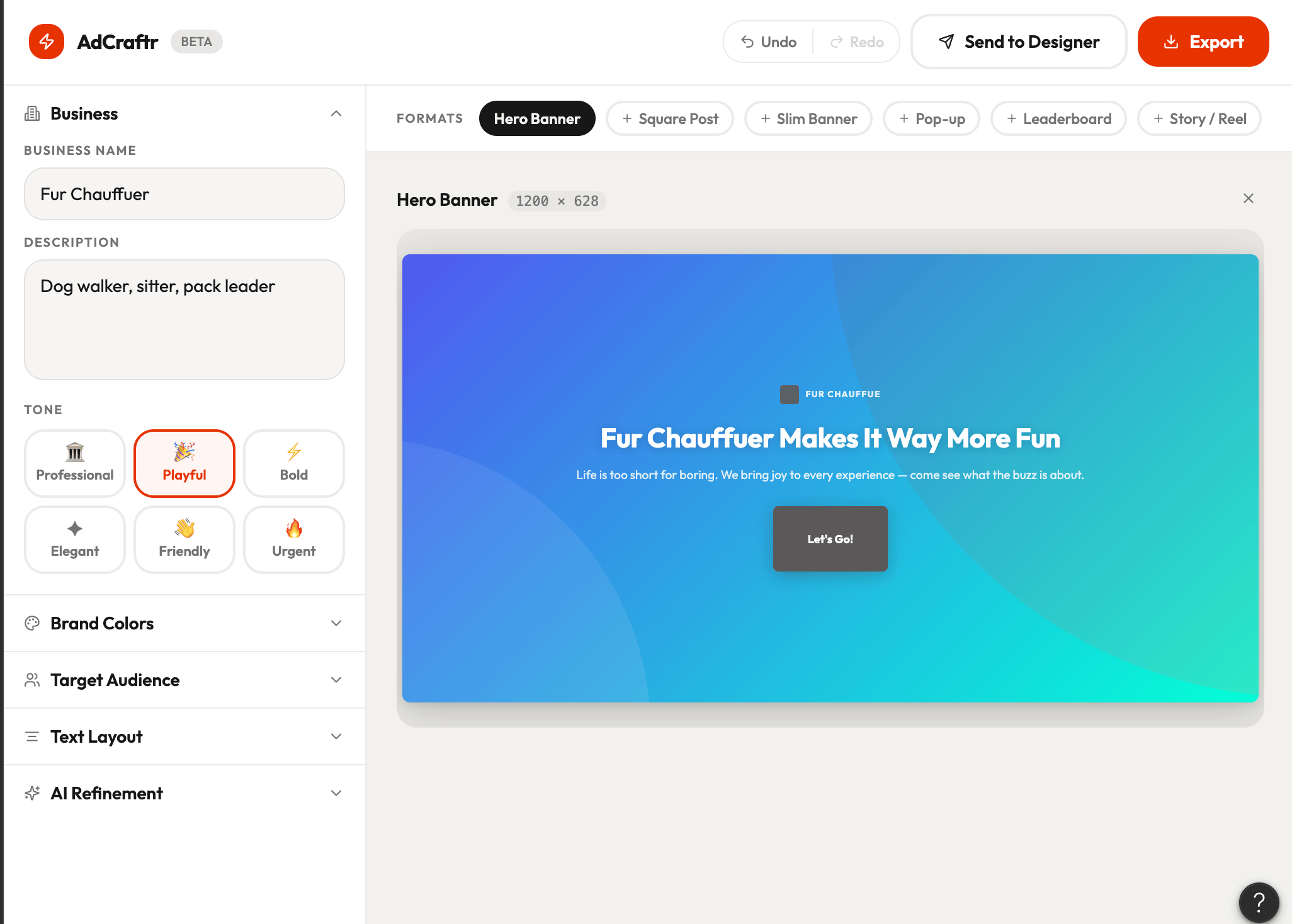
- Tone selector
Color & accessibility
- Replace color tab with a widget-style color panel containing:
- Hex code input for precise brand color entry
- Color picker for visual selection
- Real-time accessibility contrast checker — flag inaccessible combinations with a clear error state and block export until resolved
Multi-format ad delivery
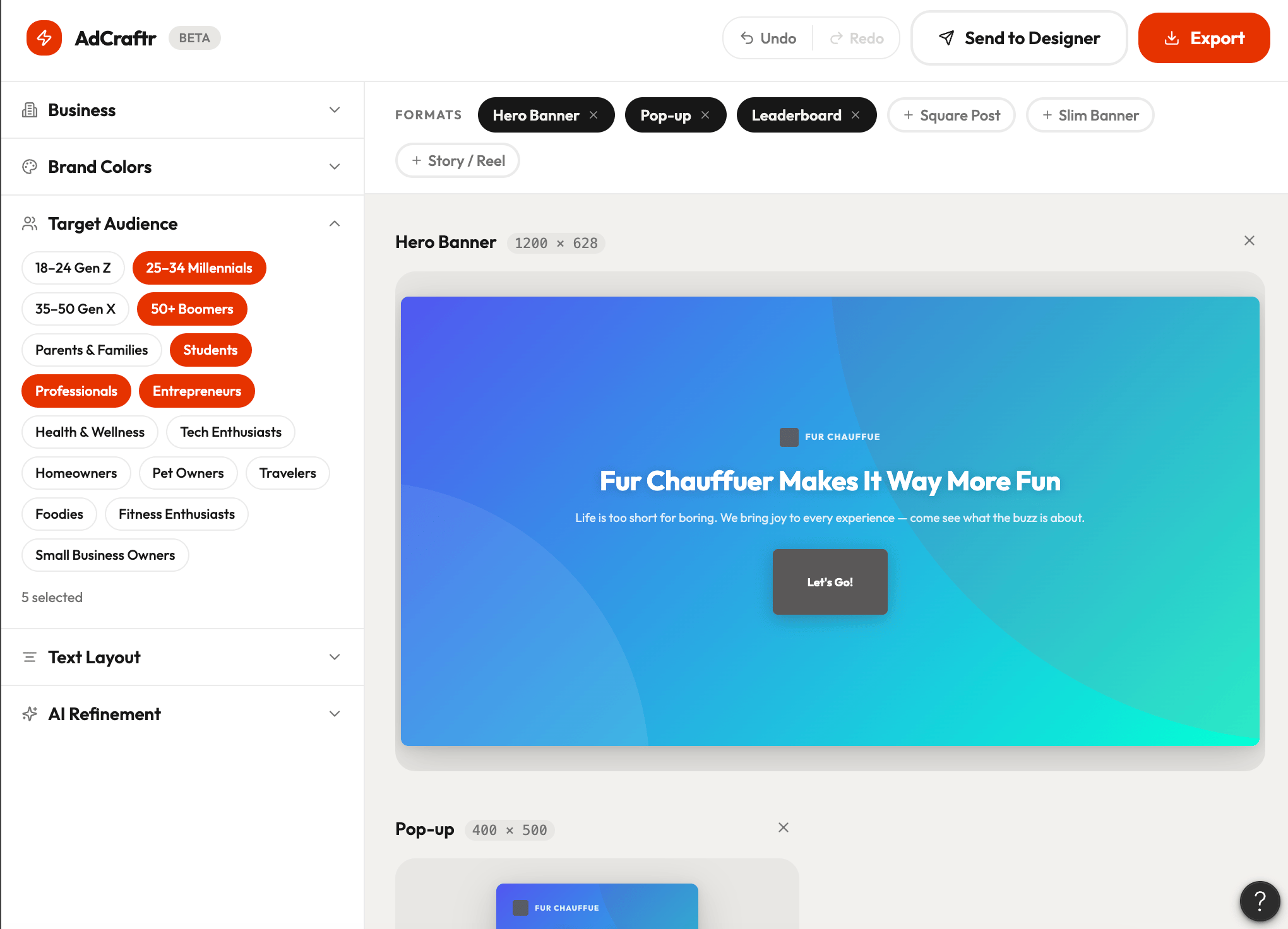
- Allow users to select multiple ad formats simultaneously for export and designer handoff — for example selecting Slim Banner AND Ad Square at the same time
- Display a preview of each selected format so users can review all before sending
Export & Figma integration
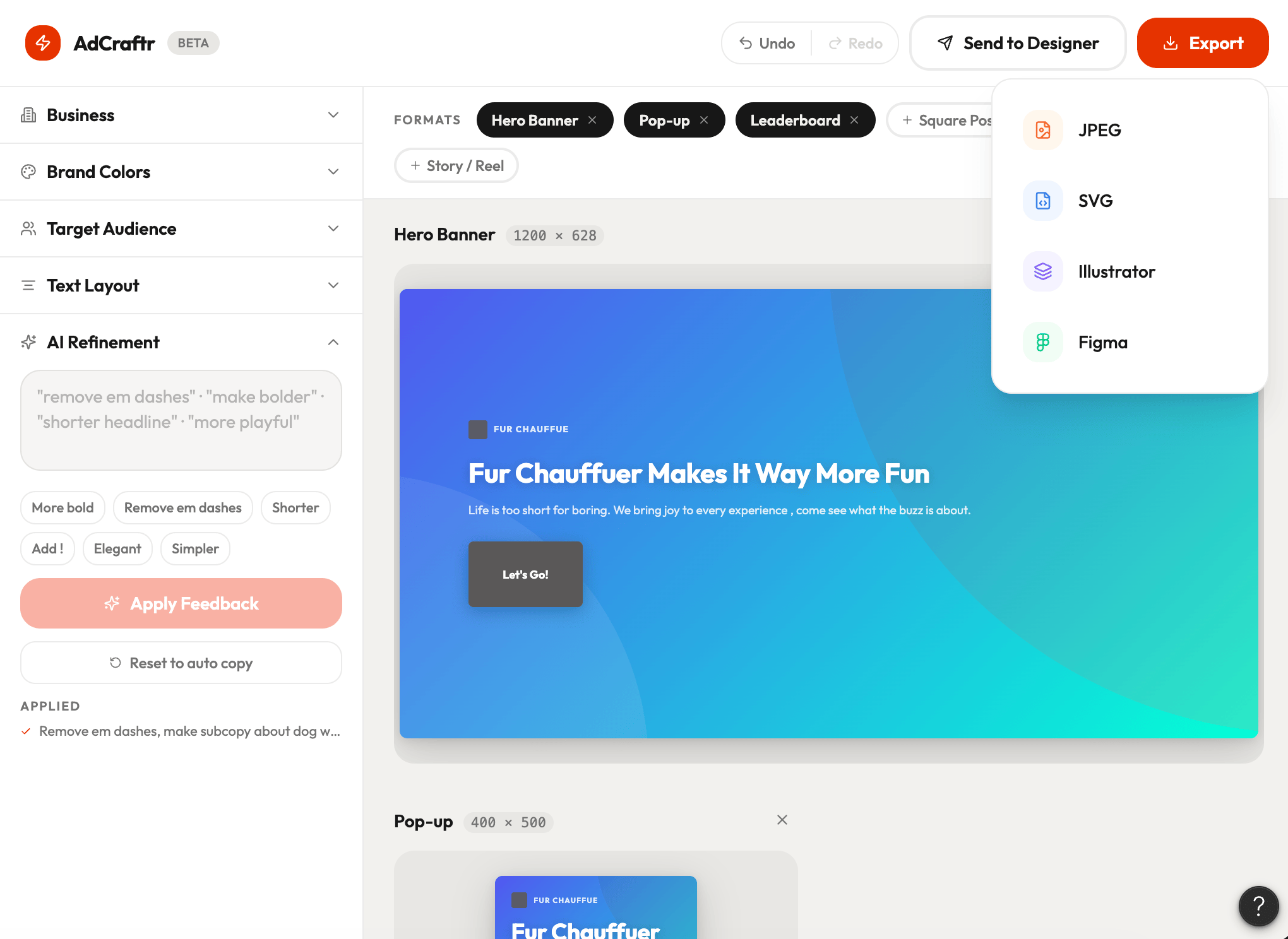
- Add a direct export to Figma function — open the file immediately in Figma without manual download and import steps
- Include standard export formats alongside: JPEG, SVG, and Adobe-compatible file
UI & interaction details
- All buttons must have 24px padding on all sides from text
- UI should feel lightweight, modern, and widget-native — designed for speed and creative flow
- Prioritize non-destructive editing throughout — every change should be undoable
Figma Make V3, updated from prompt 4
Decision
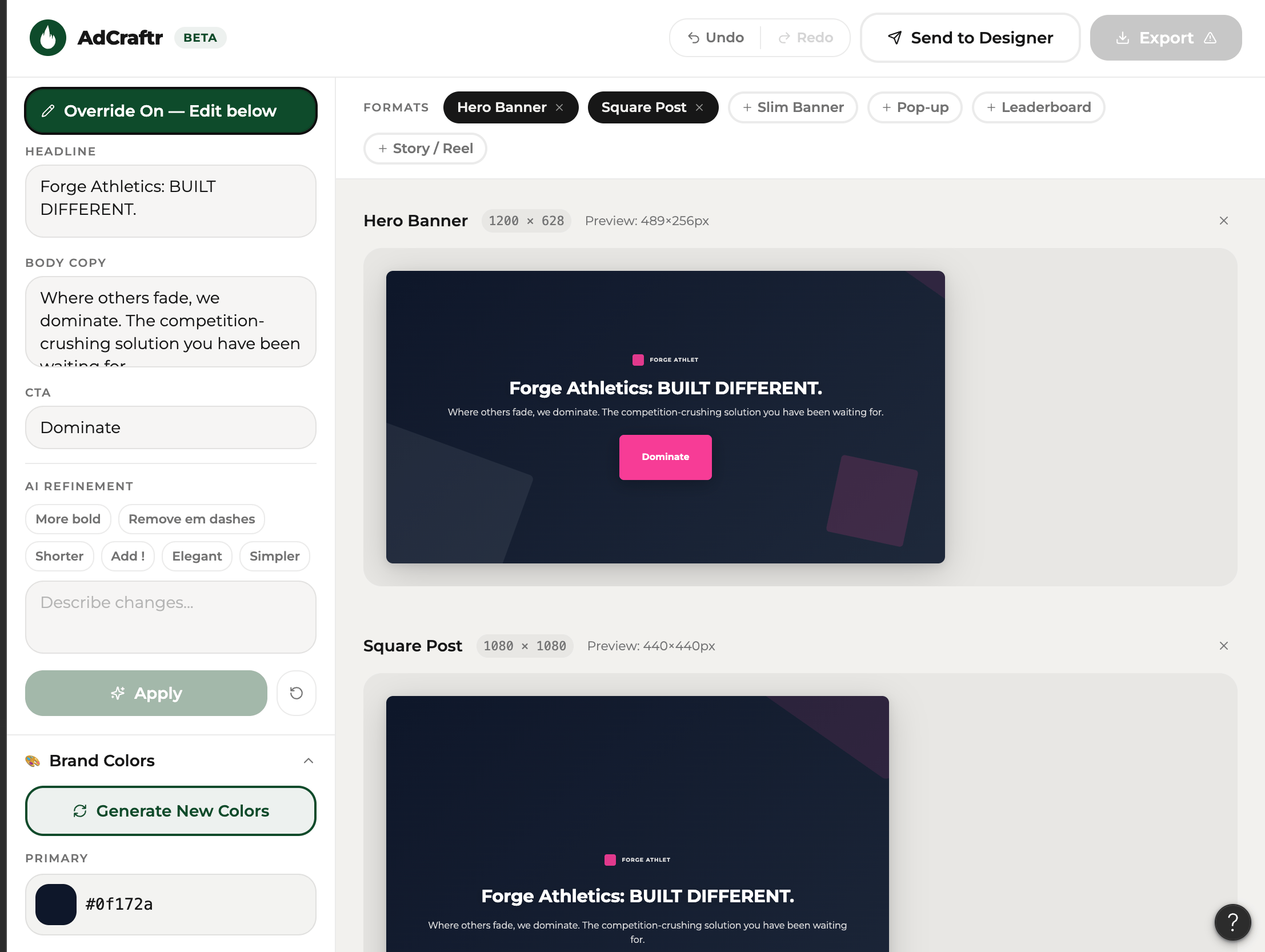
Now final tweaks. I want the interaction to work smoother, some auto-generation, and some override ability.
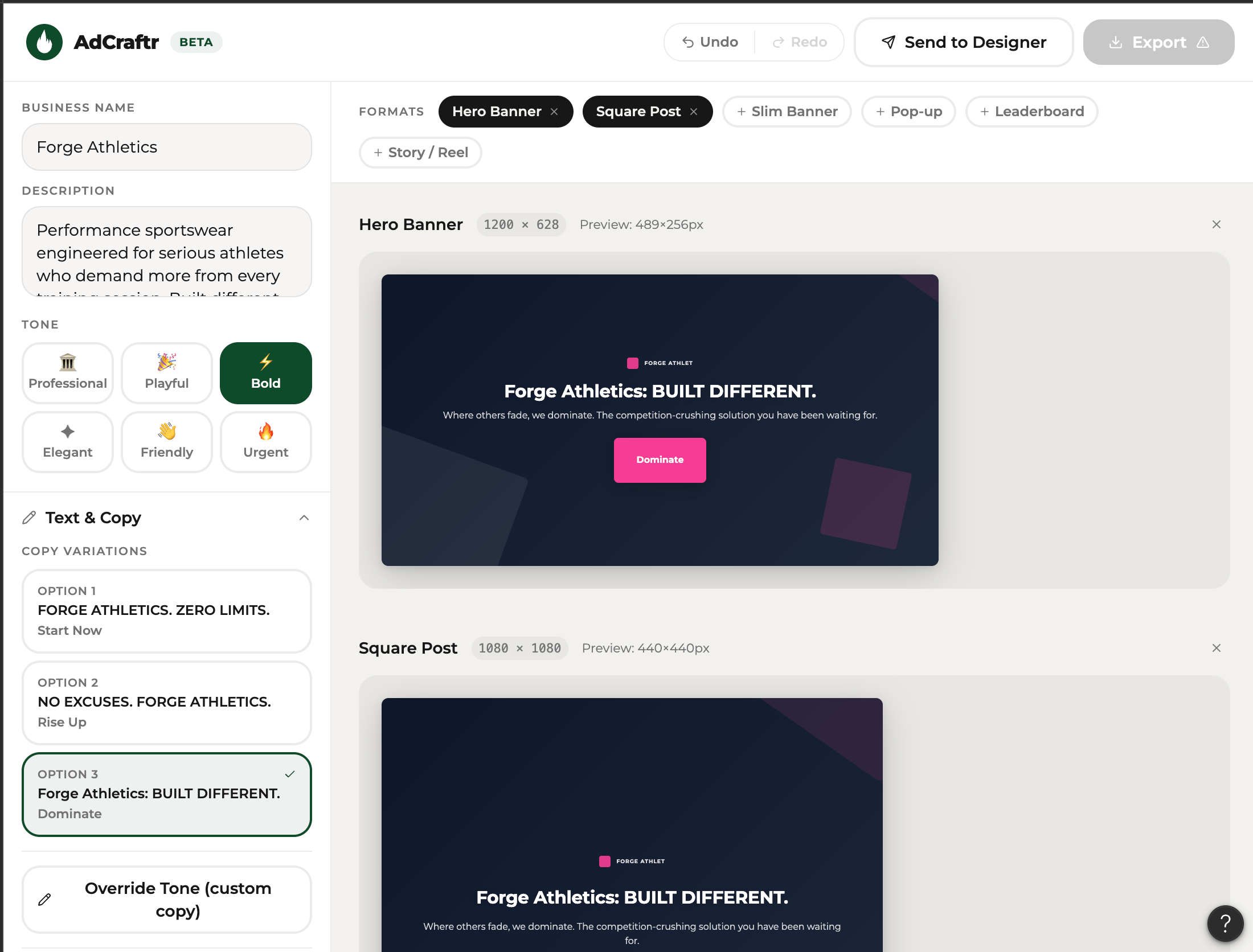
Prompt #5 - Copy Control, Color Intelligence & Multi-Format Sync
Text & copy controls
- Within the text accordion, add an "Override Tone" option that allows the user to bypass AI-generated copy and enter their own custom copy manually
- Add multiple copy variations per tone — offer at least 3 options per selected tone so users can choose their preferred direction rather than being locked into one result
- Include body copy field in the Send to Designer handoff — not just headline and tagline
Color intelligence
- On load, auto-generate a suggested color palette based on the business description and tone selected
- Add a "Generate New Colors" button that refreshes the palette with a new AI-suggested combination while respecting accessibility contrast requirements
- Retain hex input and color picker as manual override options
Background & visual options
- Add multiple background shape style options for the decorative circle elements — offer at least 3 to 4 variants so users can switch the visual feel without changing copy or color
Multi-format sync: Interaction
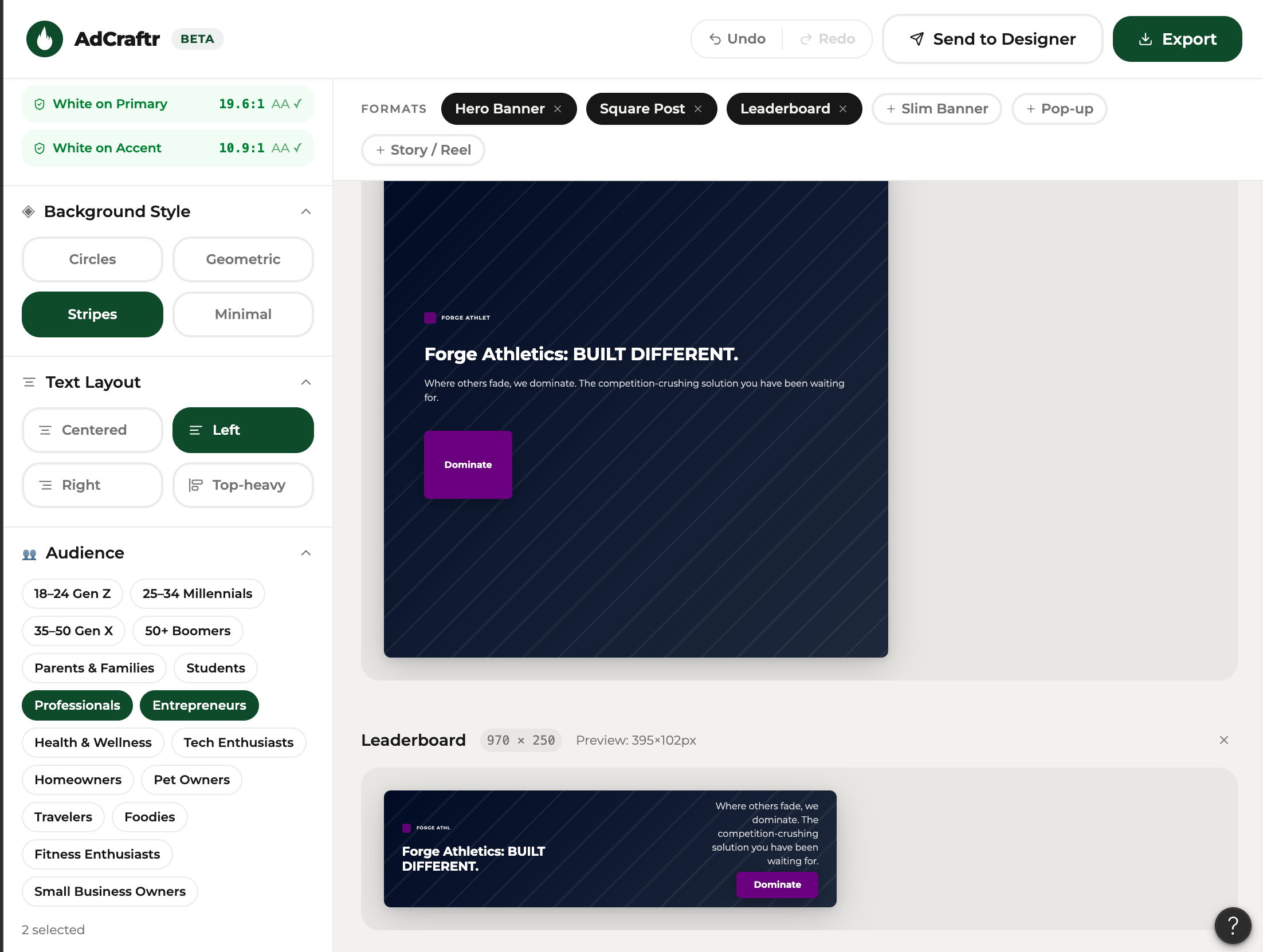
- All selected ad formats must update simultaneously and in real time as the user makes any edit — copy, color, tone, layout, or background
- All ad format previews must be proportionally sized relative to each other so users get an accurate sense of scale across formats
AdCraftr brand identity
- Set AdCraftr UI brand color to deep green throughout the interface
- Set AdCraftr brand font to Montserrat across all UI elements
- Design and integrate a flame as the AdCraftr logo mark
AdCraftr Final, Figma Make V4, updated from prompt 5
Limitations
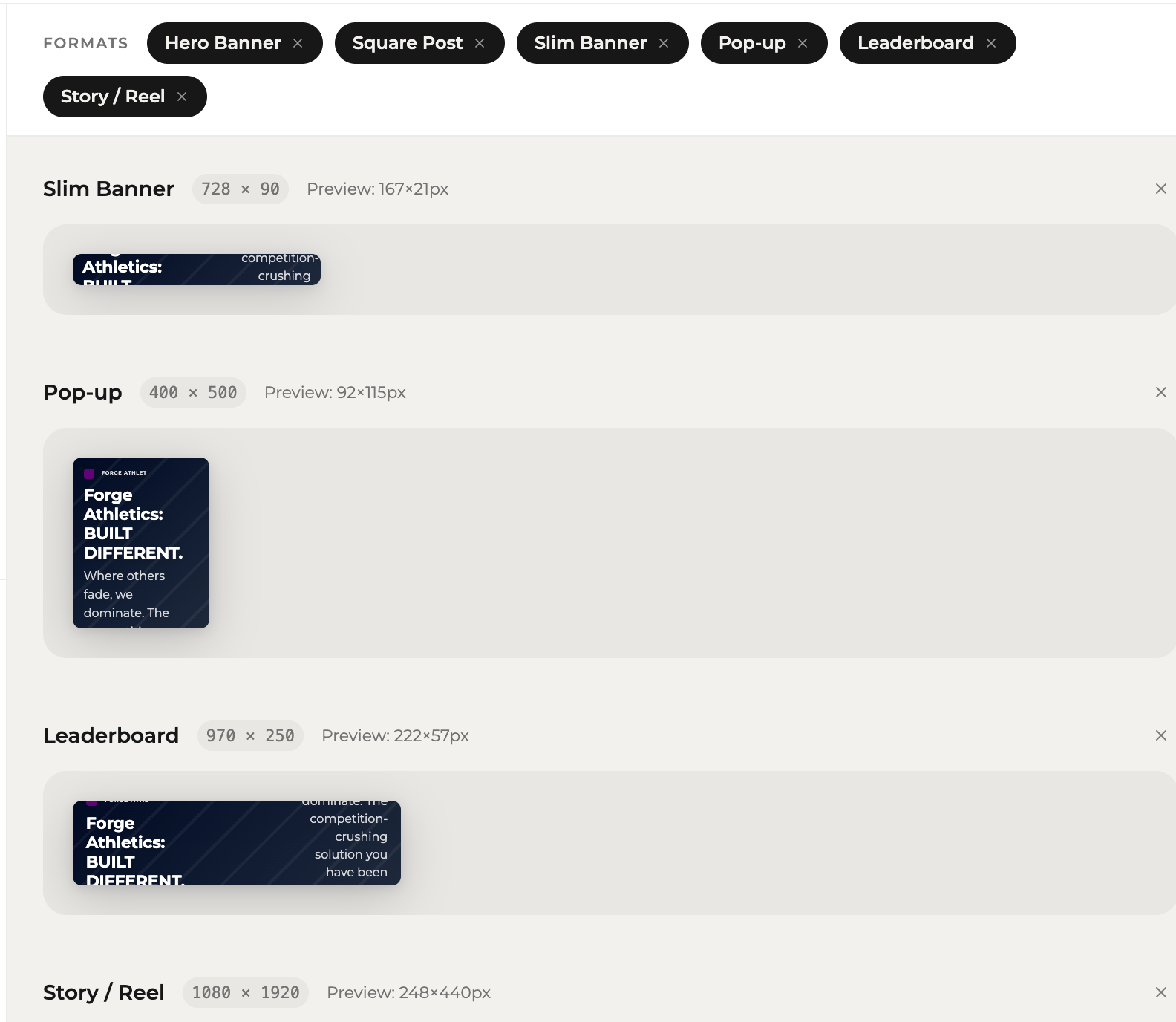
When more ad formats are applied, preview glitches
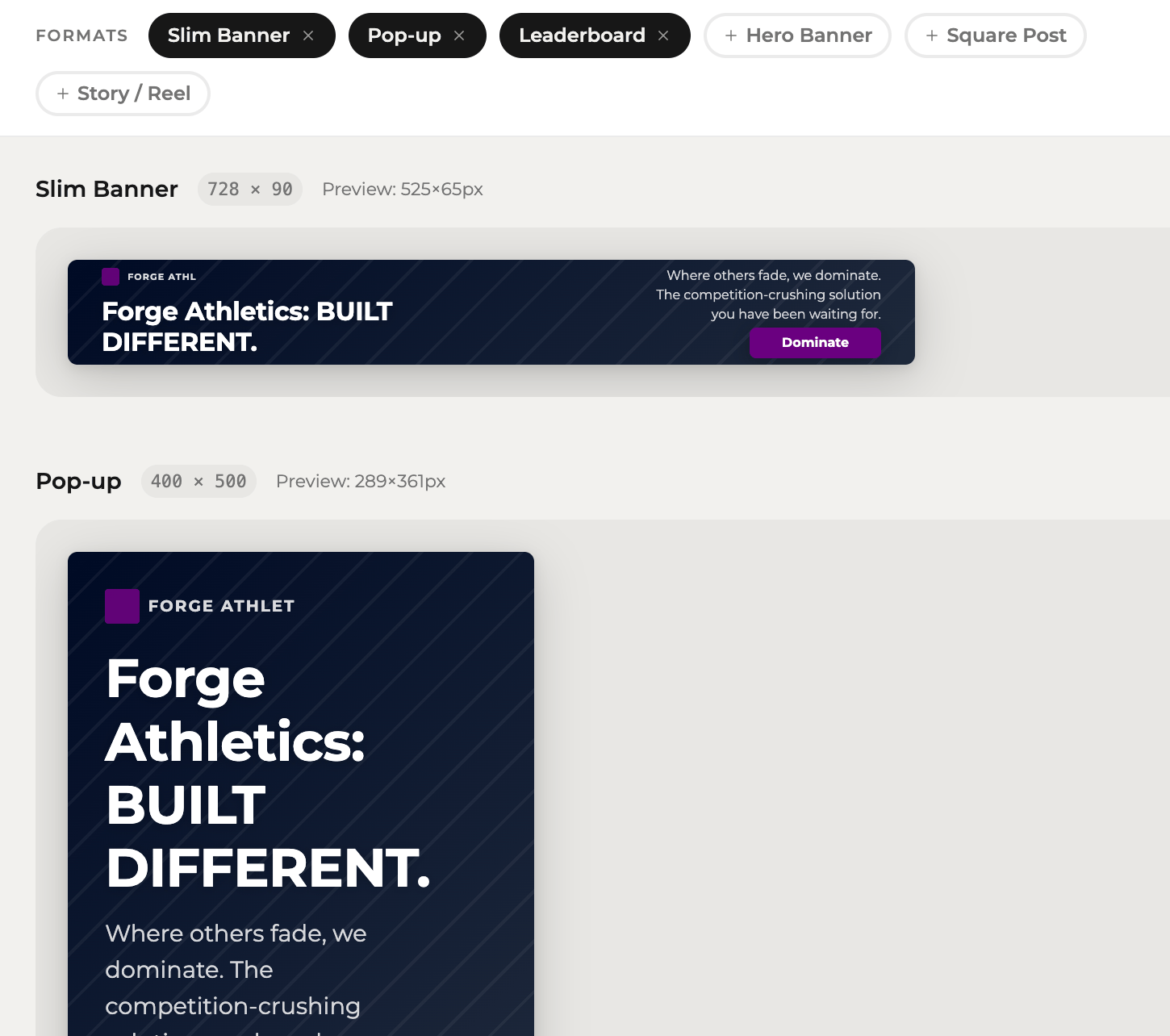
Logo looks like middle finger - quick fix


Things I prompted but Figma Make didn’t do
- Web preview
- Generate image code to input
- 24 px padding on button
- Auto-generate brand colors that meet accessibility
The final product is still clearly AI-generated; the visual polish ceiling of Figma Make is visible. If AdCraftr were more than an exploration, I would tweak it in Figma myself.
(Built in Figma Sites)