
AR Shopping Experience
From vague AR concept to confident customers
T-Mobile | Lead Designer | Web, App | AR, Interaction Design | 2022
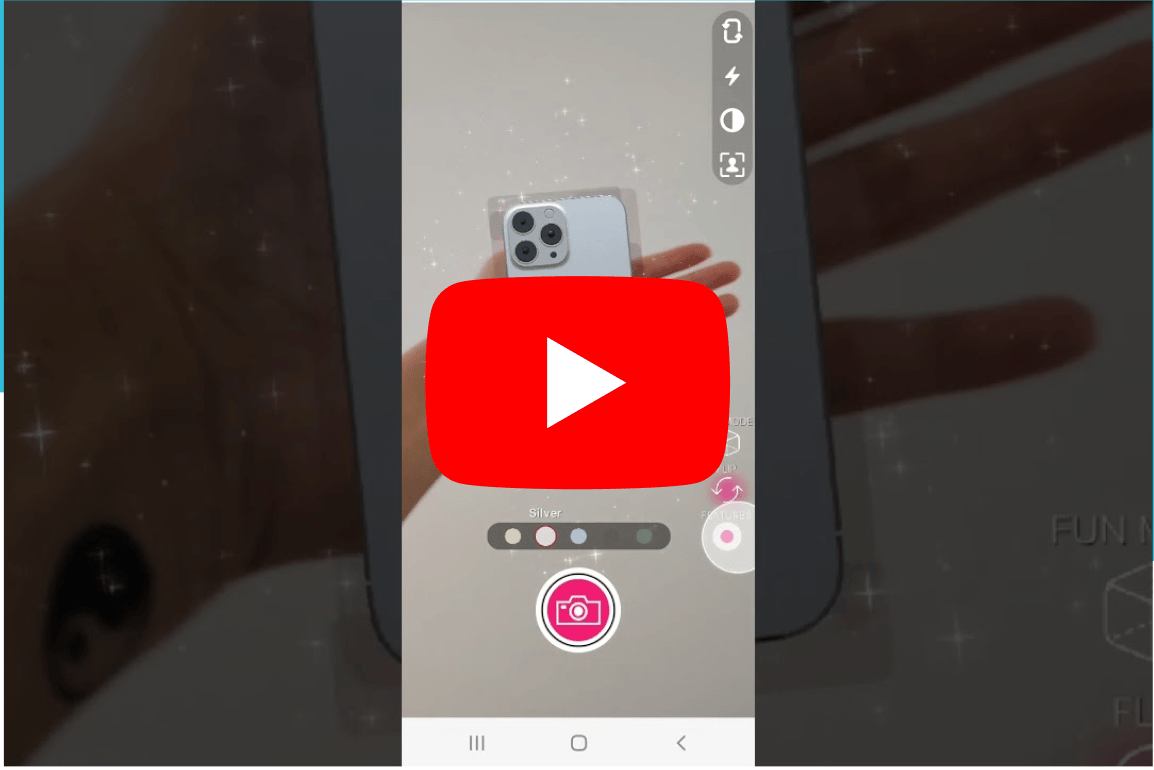
Phone Experience
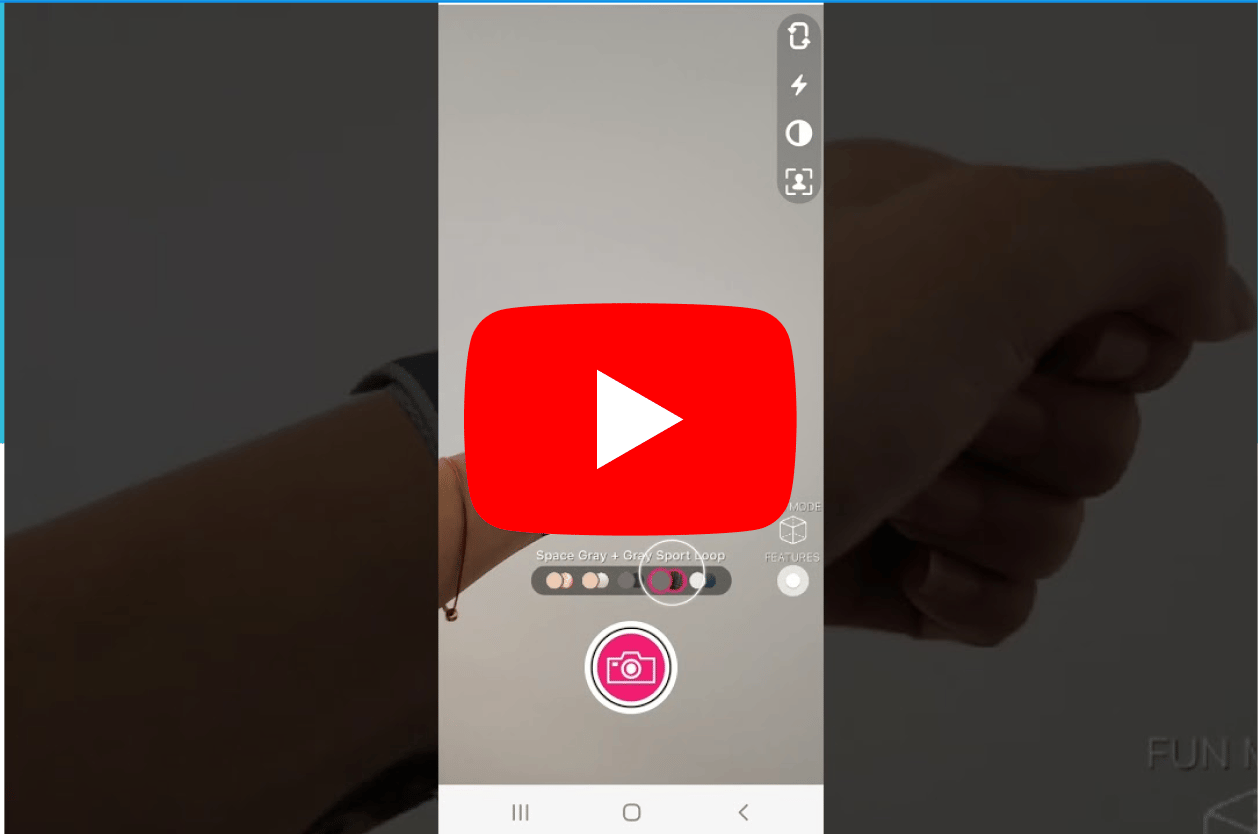
Watch Experience
What makes this project unique?
- Allows user to test device in hand before purchasing online
- Started with partially defined AR concept; ended with a structured, testable, and iterative shopping experience, balancing innovation with usability
- Designed mobile AR interactions while collaborating cross-functionally with T-Mobile InLab, the VP of Design, and AR partner, Paper Triangles

Problem
Online device shopping lacks the confidence of in-store experiences, especially when customers can’t physically interact with products.
“How might we increase customer confidence in purchasing devices online?”
Solution
Design an intuitive AR experience that allows users to visualize, explore, and interact with devices in their own hand, helping them make more confident purchase decisions.
Solutioning for both phones & watches
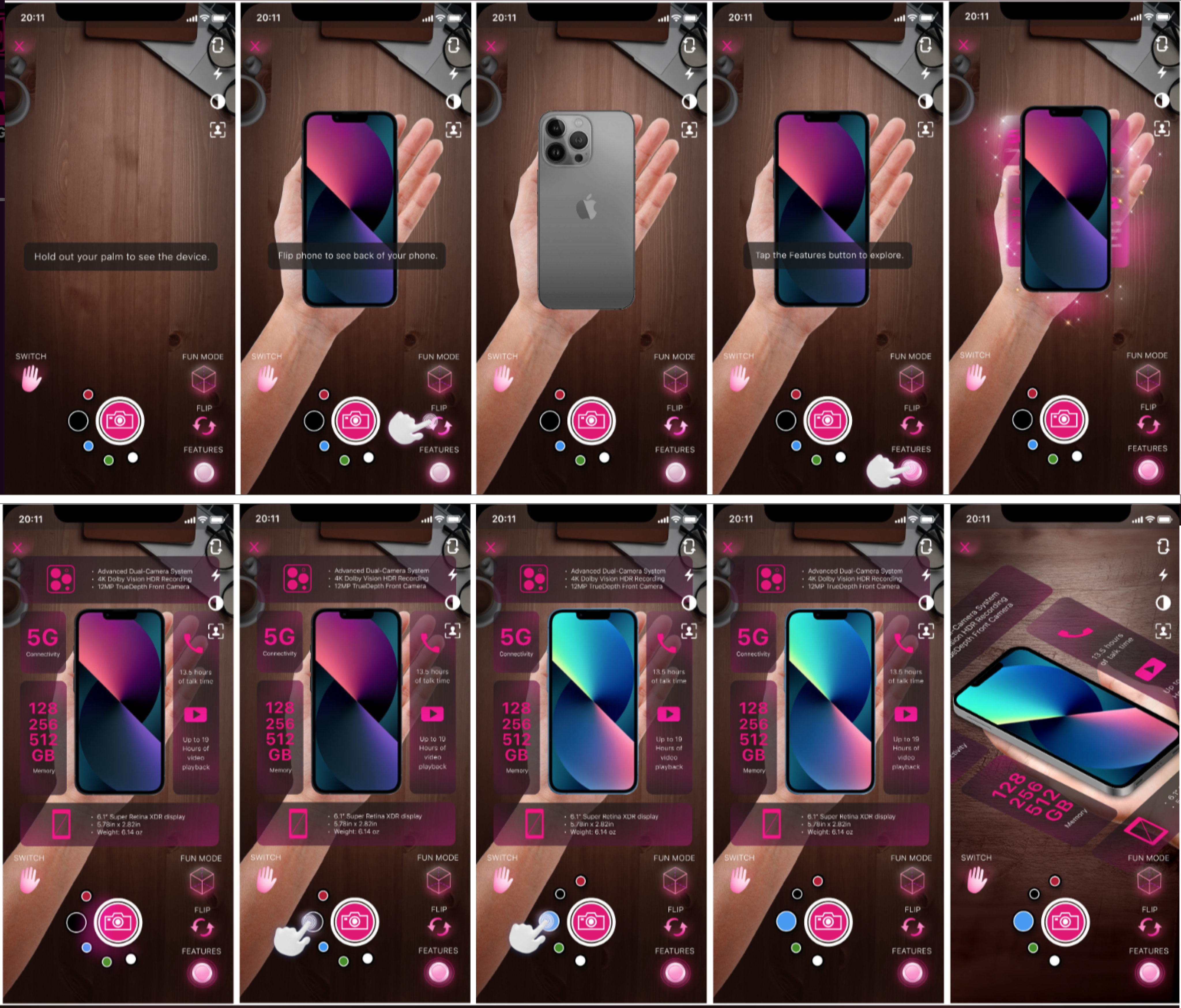
Explore iPhone in AR
Outcomes
- Defined an MVP “Browsing Experience” and a future-facing “Shopping Experience” roadmap
- Validated key features like hand-fit visualization, device interaction, and guided onboarding
- Established a cross-functional workflow for AR design + development collaboration
Learnings
- Strong ideas need ruthless prioritization to stay usable in emerging tech
- Designing for AR moves fast and needs daily collaboration with development
- How to navigate vendor collaboration and SOW constraints
- Adhoc usability testing in the office is a great way to get traction for your product
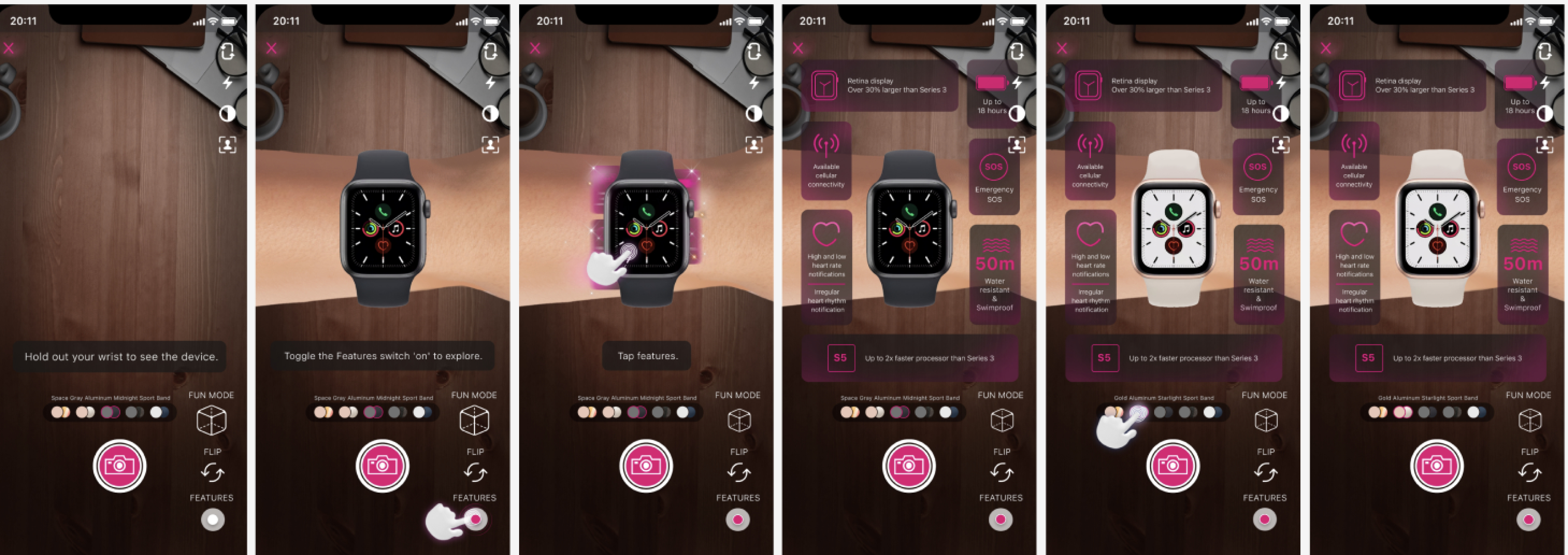
Explore Apple Watch in AR

Discover
What I did
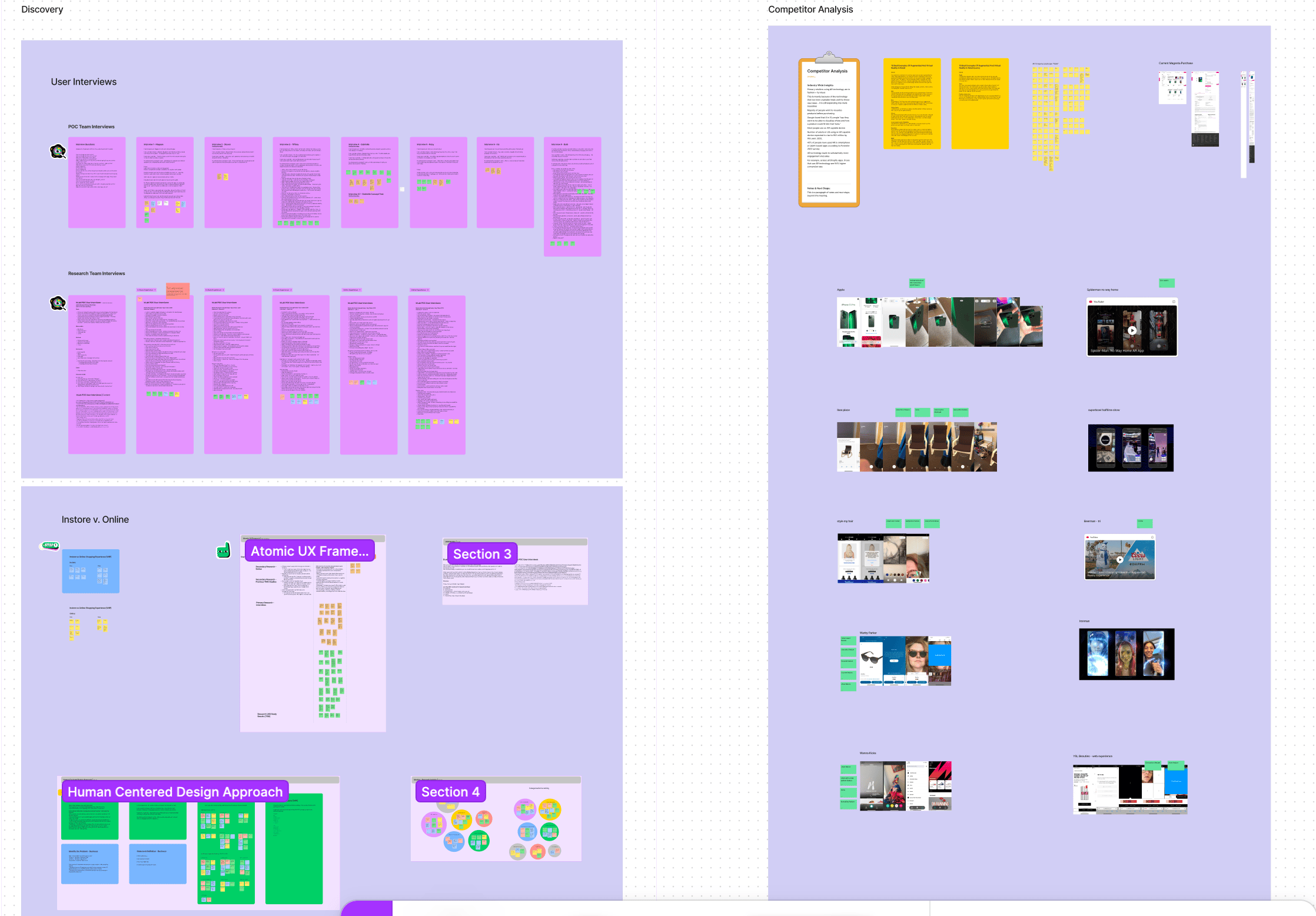
- Synthesized prior research, interviews, and concepts into a centralized FigJam workspace
- Conducted additional user interviews to understand confidence gaps in online shopping
- Built personas and journey insights focused on hesitation and trust
- Performed competitive analysis across AR and e-commerce experiences (Ikea, Warby Parker...)
Key insights
- Users preferred online shopping but wanted to understand scale, feel, and interaction in a way that mimics in-store confidence.
- Users who preferred in-store purchasing were skeptical.
Interview & competitor analysis
Affinity mapping
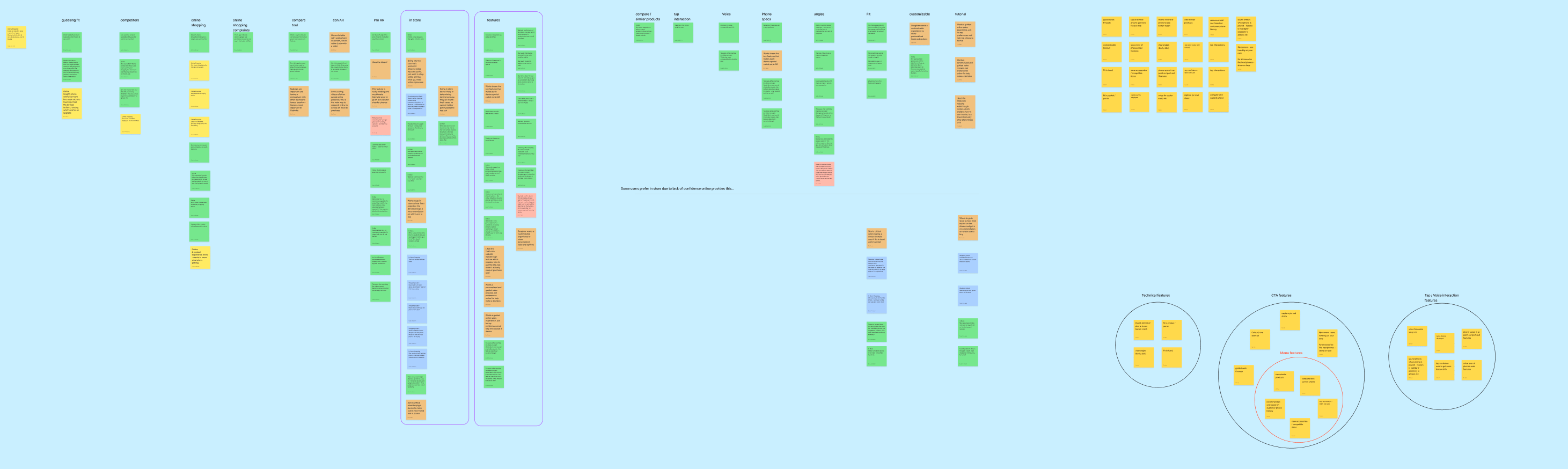
Define
Stakeholder alignment
- Led a design workshop with cross-functional partners
- Prioritized features using an impact vs. effort framework
- Aligned on iteration phases (MVP → future roadmap)
- Identified assumptions and defined “How might we” opportunities
Key decision
Separated the experience into
- Browsing (low friction, exploratory)
- Shopping (higher complexity, transactional)
Stakeholder workshop
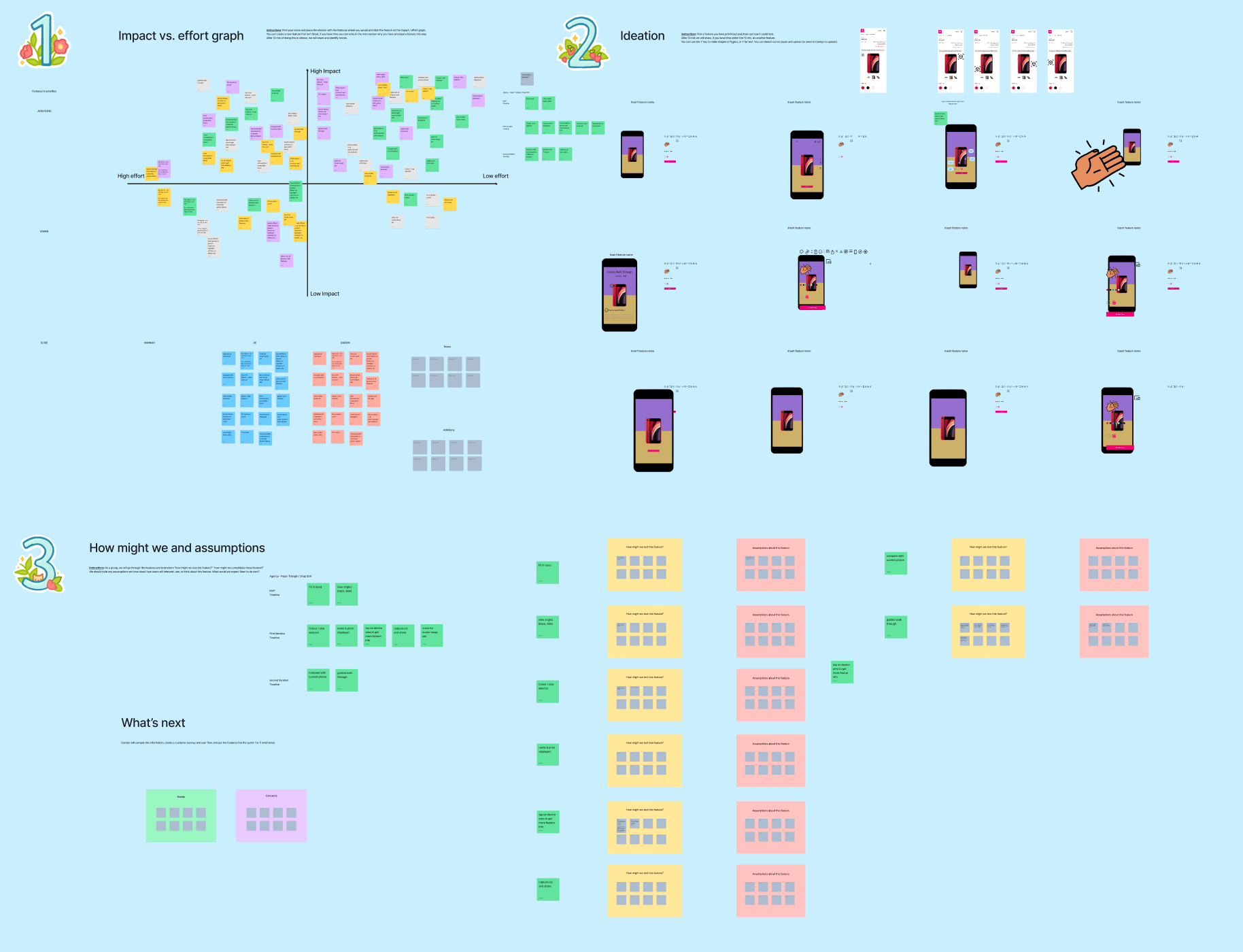
Feature prioritization
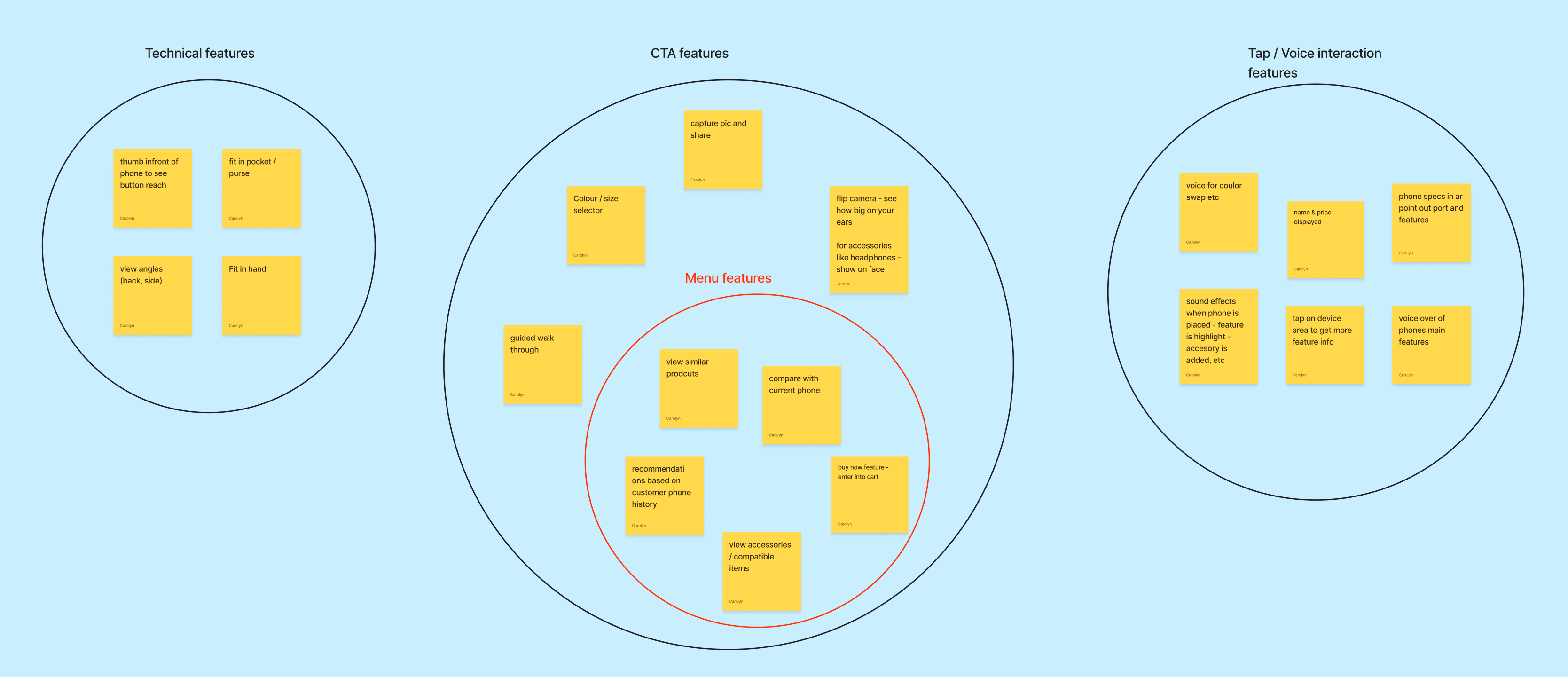
3 tiers of features
MVP (Browsing Experience)
- View phone in hand
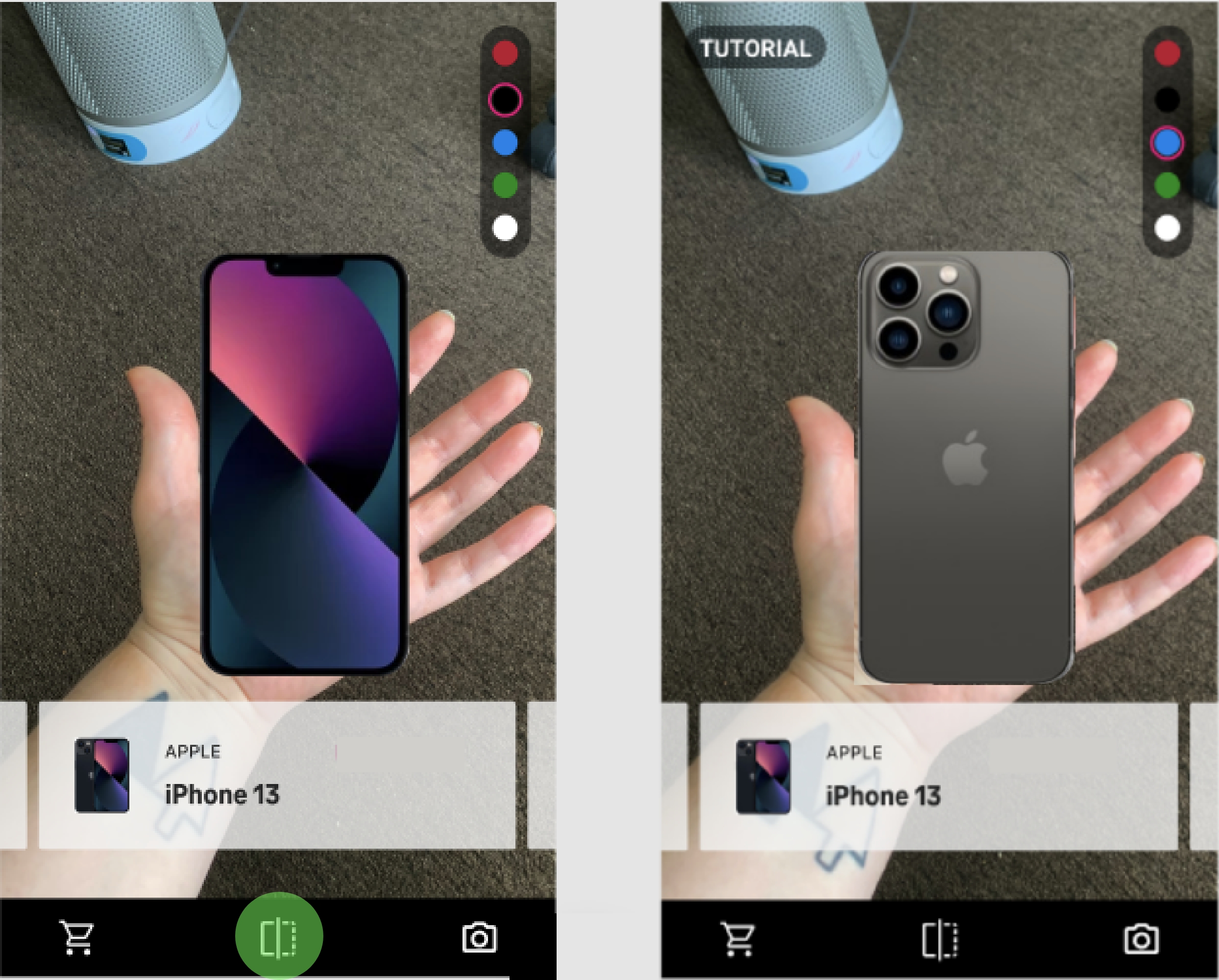
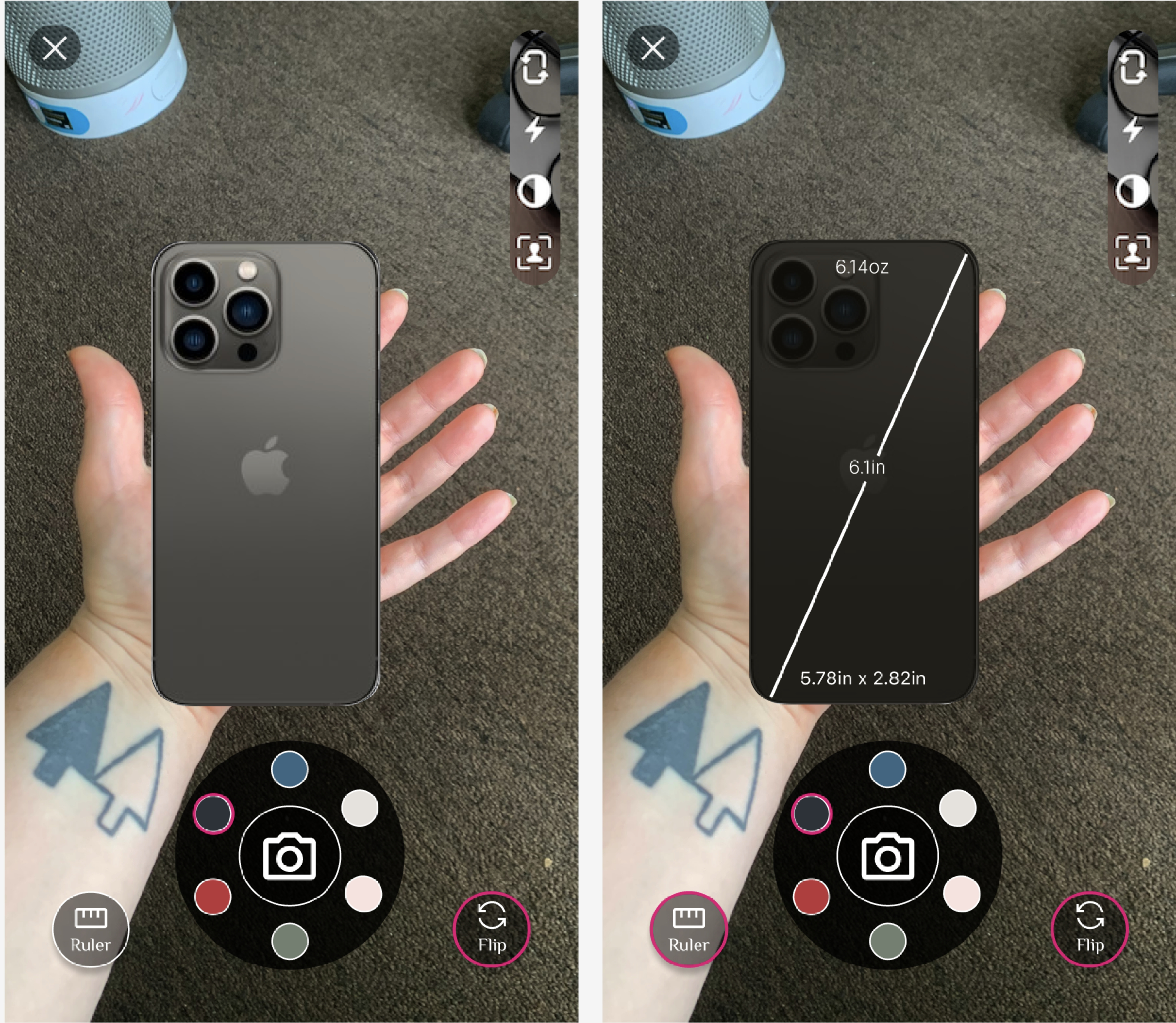
- Flip device
- Basic onboarding
Iteration 2
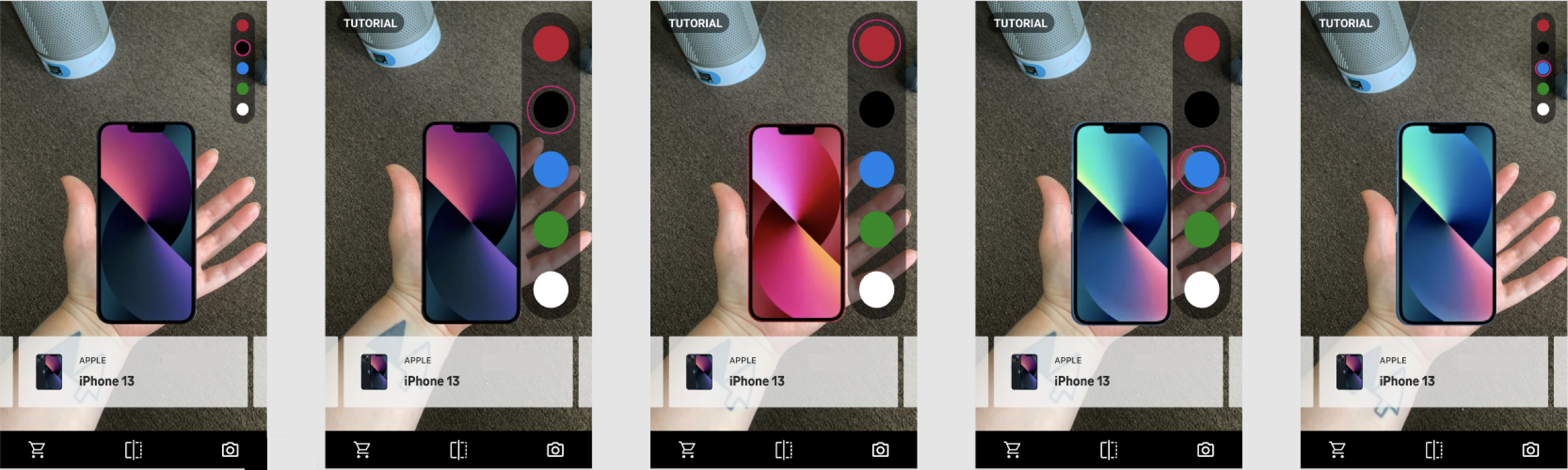
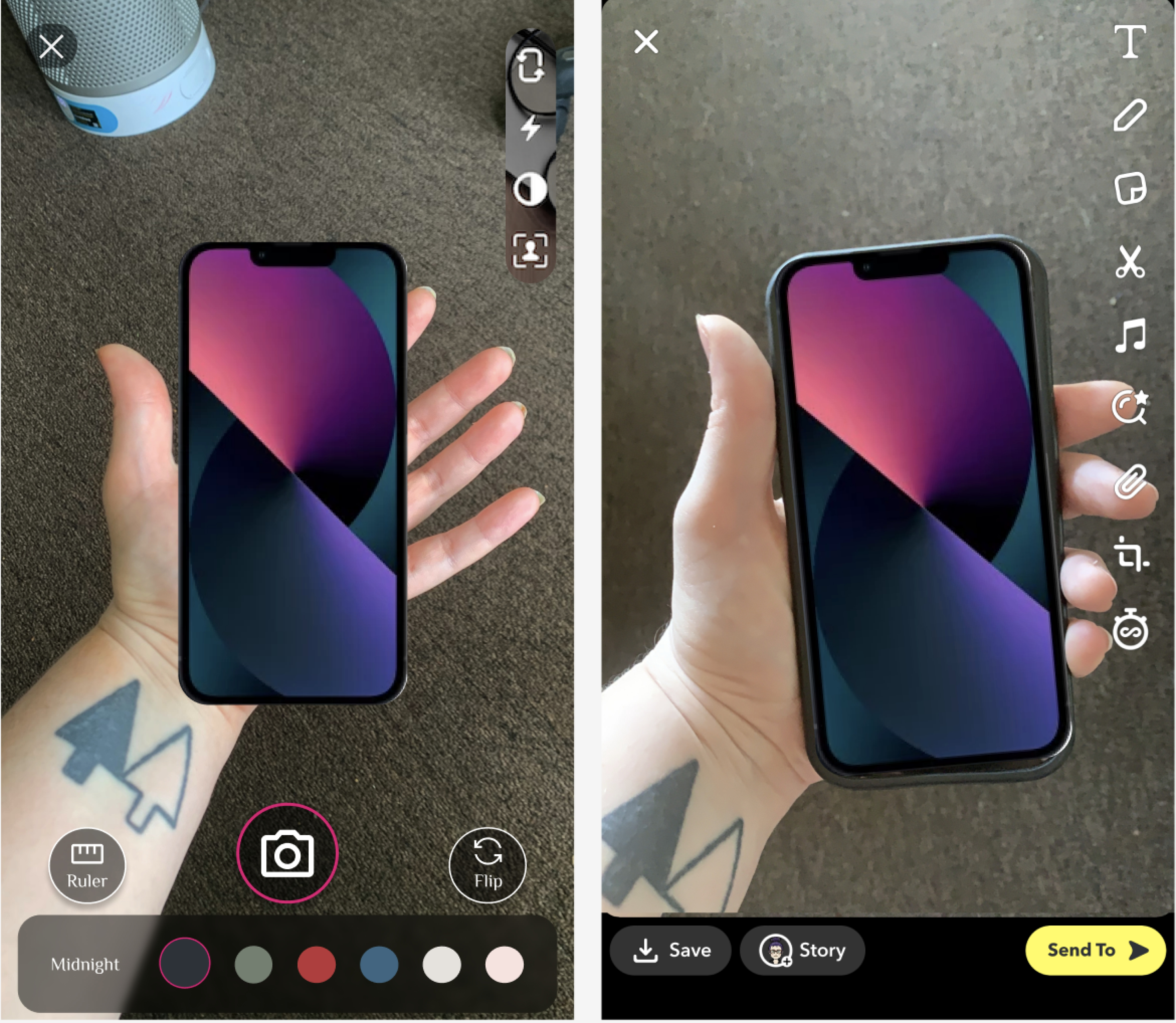
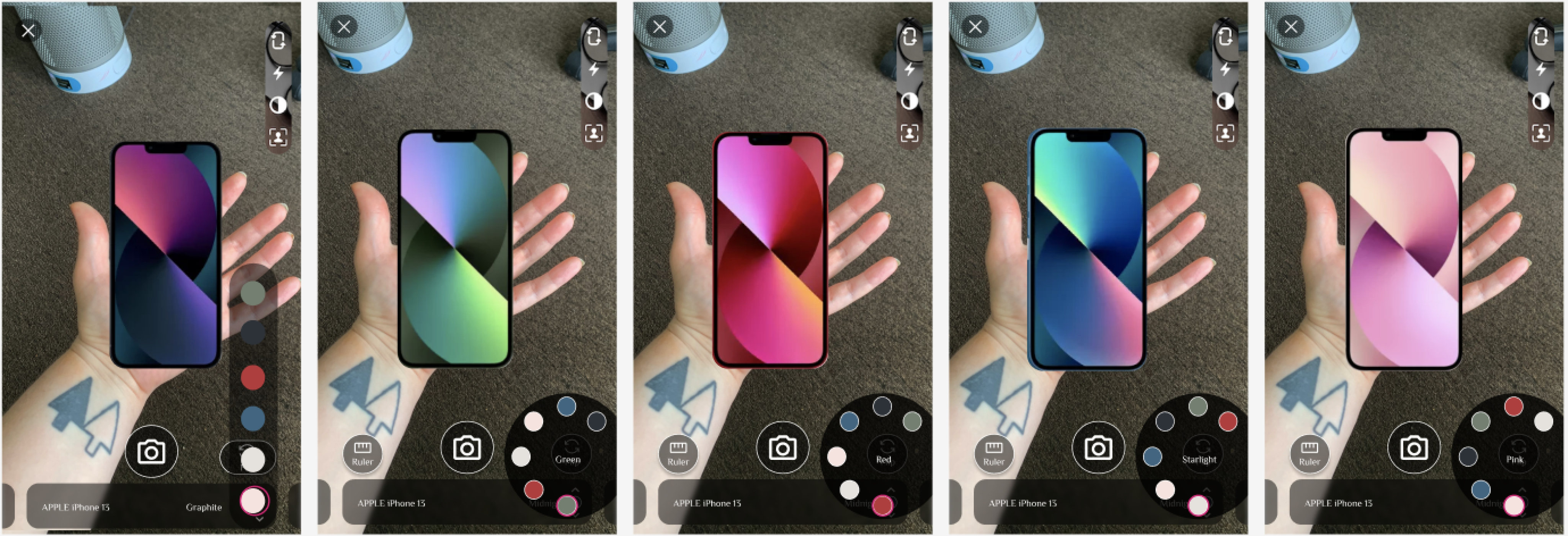
- Color selection
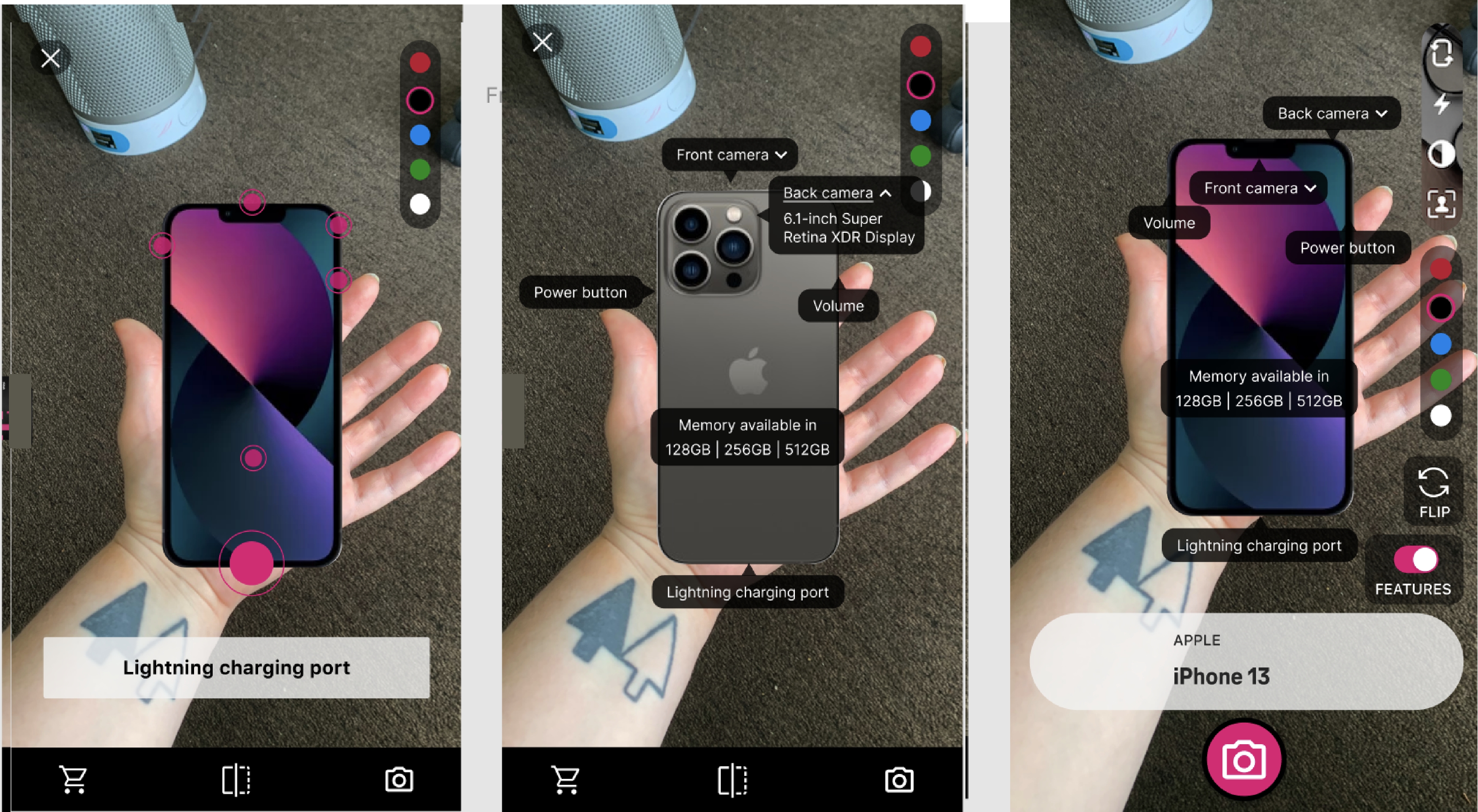
- Feature highlights
- Snapshot & share
Future (Shopping Experience)
- Compare devices
- Switch products
- Add to cart
User flow
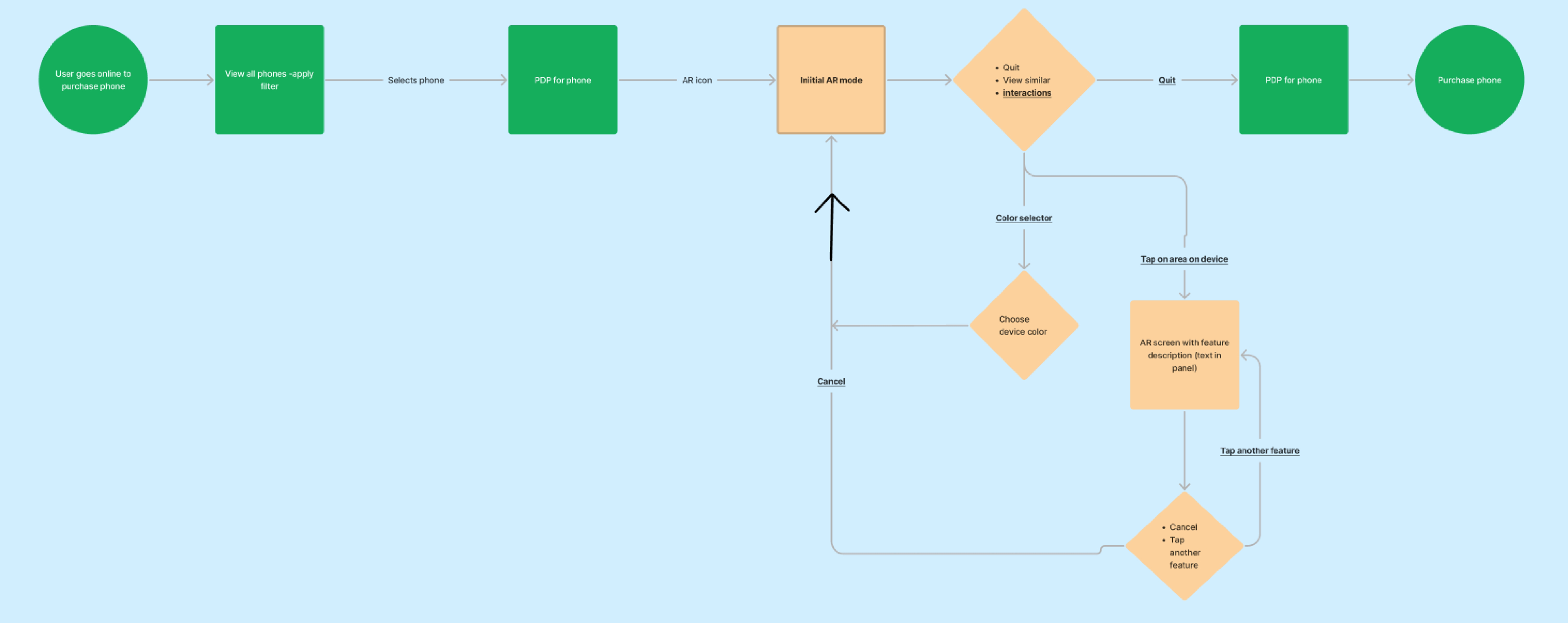
Design
Approach
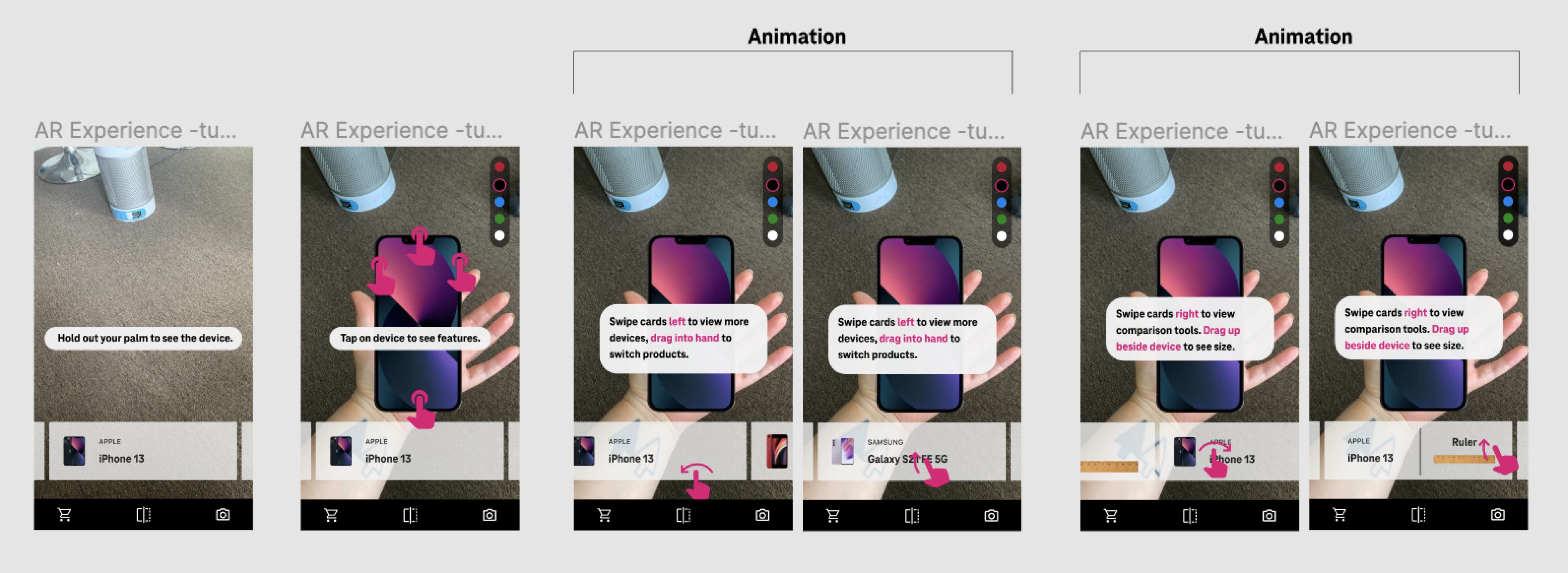
- Designed flows and prototypes in Figma, later adapting to Photoshop for AR dev collaboration
- Created end-to-end user flows including entry points from e-commerce
- Iterated through multiple rounds of usability testing
Key decisions
Interaction Patterns
- Designed intuitive gestures for:
- Rotating and flipping devices
- Exploring features
- Tested different models for color selection (tap vs. drag)
Onboarding & Tutorial
- Explored multiple triggers (auto-launch vs. user-initiated)
- Balanced guidance vs. interruption
Feature Prioritization
- Cut “Add to Cart” from MVP due to complexity vs. value tradeoff
- Focused on confidence-building interactions first
Accessibility Considerations
- Explored left-handed support (“switch hands”)
- Advocated for legibility and contrast improvements
Color selection
Flip
Feature highlights
Tutorial
Deliver
What I delivered
- High-fidelity UI adapted for AR constraints
- Interaction specs and iterative design updates
- Support in feedback loop & QA between design, stakeholders, and developers
Final refinements
- Simplified UI for clarity in AR environment
- Adjusted interaction models based on feasibility
- Roadmap for shopping experience & Fun Mode
Share
Ruler
Roadmapped shopping experience


AR Shopping Experience
From vague AR concept to confident customers
T-Mobile | Lead Designer | Web, App | AR, Interaction Design | 2022
Phone Experience
Watch Experience
What makes this project unique?
- Allows user to test device in hand before purchasing online
- Started with partially defined AR concept; ended with a structured, testable, and iterative shopping experience, balancing innovation with usability
- Designed mobile AR interactions while collaborating cross-functionally with T-Mobile InLab, the VP of Design, and AR partner, Paper Triangles
Problem
Online device shopping lacks the confidence of in-store experiences, especially when customers can’t physically interact with products.
“How might we increase customer confidence in purchasing devices online?”
Solution
Design an intuitive AR experience that allows users to visualize, explore, and interact with devices in their own hand, helping them make more confident purchase decisions.
Solutioning for both phones & watches
Explore iPhone in AR
Outcomes
- Defined an MVP “Browsing Experience” and a future-facing “Shopping Experience” roadmap
- Validated key features like hand-fit visualization, device interaction, and guided onboarding
- Established a cross-functional workflow for AR design + development collaboration
Learnings
- Strong ideas need ruthless prioritization to stay usable in emerging tech
- Designing for AR moves fast and needs daily collaboration with development
- How to navigate vendor collaboration and SOW constraints
- Adhoc usability testing in the office is a great way to get traction for your product
Explore Apple Watch in AR
Discover
What I did
- Synthesized prior research, interviews, and concepts into a centralized FigJam workspace
- Conducted additional user interviews to understand confidence gaps in online shopping
- Built personas and journey insights focused on hesitation and trust
- Performed competitive analysis across AR and e-commerce experiences (Ikea, Warby Parker...)
Key insights
- Users preferred online shopping but wanted to understand scale, feel, and interaction in a way that mimics in-store confidence.
- Users who preferred in-store purchasing were skeptical.
Interview & competitor analysis
Affinity mapping
Define
Stakeholder alignment
- Led a design workshop with cross-functional partners
- Prioritized features using an impact vs. effort framework
- Aligned on iteration phases (MVP → future roadmap)
- Identified assumptions and defined “How might we” opportunities
Key decision
Separated the experience into
- Browsing (low friction, exploratory)
- Shopping (higher complexity, transactional)
Stakeholder workshop
Feature prioritization
3 tiers of features
MVP (Browsing Experience)
- View phone in hand
- Flip device
- Basic onboarding
Iteration 2
- Color selection
- Feature highlights
- Snapshot & share
Future (Shopping Experience)
- Compare devices
- Switch products
- Add to cart
User flow
Design
Approach
- Designed flows and prototypes in Figma, later adapting to Photoshop for AR dev collaboration
- Created end-to-end user flows including entry points from e-commerce
- Iterated through multiple rounds of usability testing
Key decisions
Interaction Patterns
- Designed intuitive gestures for:
- Rotating and flipping devices
- Exploring features
- Tested different models for color selection (tap vs. drag)
Onboarding & Tutorial
- Explored multiple triggers (auto-launch vs. user-initiated)
- Balanced guidance vs. interruption
Feature Prioritization
- Cut “Add to Cart” from MVP due to complexity vs. value tradeoff
- Focused on confidence-building interactions first
Accessibility Considerations
- Explored left-handed support (“switch hands”)
- Advocated for legibility and contrast improvements
Color selection
Flip
Feature highlights
Tutorial
Deliver
What I delivered
- High-fidelity UI adapted for AR constraints
- Interaction specs and iterative design updates
- Support in feedback loop & QA between design, stakeholders, and developers
Final refinements
- Simplified UI for clarity in AR environment
- Adjusted interaction models based on feasibility
- Roadmap for shopping experience & Fun Mode
Share
Ruler
Roadmapped shopping experience

AR Shopping Experience
From vague AR concept to confident customers

| Lead Designer | Web | AR, Interaction Design | 2022
Phone Experience
Watch Experience
What makes this project unique?
- Allows user to test device in hand before purchasing online
- Started with partially defined AR concept; ended with a structured, testable, and iterative shopping experience, balancing innovation with usability
- Designed mobile AR interactions while collaborating cross-functionally with T-Mobile InLab, the VP of Design, and AR partner, Paper Triangles
Problem
Online device shopping lacks the confidence of in-store experiences, especially when customers can’t physically interact with products.
“How might we increase customer confidence in purchasing devices online?”
Solution
Design an intuitive AR experience that allows users to visualize, explore, and interact with devices in their own hand, helping them make more confident purchase decisions.
Solutioning for both phones & watches
Explore iPhone in AR
Outcomes
- Defined an MVP “Browsing Experience” and a future-facing “Shopping Experience” roadmap
- Validated key features like hand-fit visualization, device interaction, and guided onboarding
- Established a cross-functional workflow for AR design + development collaboration
Learnings
- Strong ideas need ruthless prioritization to stay usable in emerging tech
- Designing for AR moves fast and needs daily collaboration with development
- How to navigate vendor collaboration and SOW constraints
- Adhoc usability testing in the office is a great way to get traction for your product
Explore Apple Watch in AR
Discover
What I did
- Synthesized prior research, interviews, and concepts into a centralized FigJam workspace
- Conducted additional user interviews to understand confidence gaps in online shopping
- Built personas and journey insights focused on hesitation and trust
- Performed competitive analysis across AR and e-commerce experiences (Ikea, Warby Parker...)
Key insights
- Users preferred online shopping but wanted to understand scale, feel, and interaction in a way that mimics in-store confidence.
- Users who preferred in-store purchasing were skeptical.
Interview & competitor analysis
Affinity mapping
Define
Stakeholder alignment
- Led a design workshop with cross-functional partners
- Prioritized features using an impact vs. effort framework
- Aligned on iteration phases (MVP → future roadmap)
- Identified assumptions and defined “How might we” opportunities
Key decision
Separated the experience into
- Browsing (low friction, exploratory)
- Shopping (higher complexity, transactional)
Stakeholder workshop
Feature prioritization
3 tiers of features
MVP (Browsing Experience)
- View phone in hand
- Flip device
- Basic onboarding
Iteration 2
- Color selection
- Feature highlights
- Snapshot & share
Future (Shopping Experience)
- Compare devices
- Switch products
- Add to cart
User flow
Design
Approach
- Designed flows and prototypes in Figma, later adapting to Photoshop for AR dev collaboration
- Created end-to-end user flows including entry points from e-commerce
- Iterated through multiple rounds of usability testing
Key decisions
Interaction Patterns
- Designed intuitive gestures for:
- Rotating and flipping devices
- Exploring features
- Tested different models for color selection (tap vs. drag)
Onboarding & Tutorial
- Explored multiple triggers (auto-launch vs. user-initiated)
- Balanced guidance vs. interruption
Feature Prioritization
- Cut “Add to Cart” from MVP due to complexity vs. value tradeoff
- Focused on confidence-building interactions first
Accessibility Considerations
- Explored left-handed support (“switch hands”)
- Advocated for legibility and contrast improvements
Color selection
Flip
Feature highlights
Tutorial
Deliver
What I delivered
- High-fidelity UI adapted for AR constraints
- Interaction specs and iterative design updates
- Support in feedback loop & QA between design, stakeholders, and developers
Final refinements
- Simplified UI for clarity in AR environment
- Adjusted interaction models based on feasibility
- Roadmap for shopping experience & Fun Mode
Share
Ruler
Roadmapped shopping experience